Bobby ID Brand Book
One identity for every Bobby website.
VERSION 1.0.0 · 2026-08-23 · A1.1 / A1.2 · W3-a / W3-b · P3 DIGITAL PASSPORT BLUE
01
Brand introduction
Bobby ID is the identity layer for the Bobby network: one account, one verification history, and explicit per-site consent — presented with the discipline of a credential document rather than the informality of a social login.
Product definition
Bobby ID is the identity account used across Bobby websites. A person creates one Bobby ID, completes the verification steps a site actually needs, and then approves — per site, per visit — exactly which details are shared. Bobby ID is not yet operational; this brand book governs how it is presented once it is.
Brand purpose
Bobby ID exists so a person can prove who they are once, keep control of what they share, and move between Bobby websites without creating another account.
Brand promise
You verify once. You decide what is shared. You can see and withdraw what you approved.
Core messages
- One identity for every Bobby website.
- Continue with Bobby ID.
- Verify once. Share only what is needed.
- Your identity, under your control.
Claims we never make
- Do not claim verification is infallible, guaranteed, or fraud-proof.
- Do not claim data never leaves Bobby ID after a user approves disclosure — approved data is shared with the relying party.
- Do not imply a verified person is trustworthy, safe, or endorsed.
- Do not imply age verification proves identity, or that contact verification proves a real-world person.
- Do not use government, police or regulatory language, seals or crests.
02
Naming conventions
Public product name: Bobby ID. Domain: bobbyid.com.
- Write the product as Bobby ID — two words, capital B, capital I, capital D — in all headings, body copy, interfaces and communication.
- BobbyID (one word) is acceptable only where a technical identifier requires it: the bobbyid.com domain, package names, code identifiers, handles and restricted-space assets.
- Never write BobbyId, bobby id, BOBBY ID (except in all-caps typographic settings), Bobby-ID or Bobby iD.
- The login label is Continue with Bobby ID — never Continue with Bobby, Login with Bobby, or Sign in with BobbyID. The identity product is always named in full on this control.
03
Logo meaning
The outer brackets are protected boundaries and user control. The central column is one stable Bobby identity. The two counters are verified identity signals.
Read as a whole: one person, securely connected across approved websites.
What the mark is not
- Not facial recognition, biometric scanning or surveillance.
- Not a crop frame or scan target — the brackets close along the outer edge as a held container rather than four detached corner ticks.
- Not a head-and-body figure or an eye — the counters sit on one centred axis with equal top and bottom mass.
- Not a code symbol, seal, crest or certification device.
04
Beeldmerk system
32 × 32 unit square. 1u = 1/32 of the mark height. All coordinates are whole or half units.
A1.1 — Balanced Original — master beeldmerk


PNG · Own background · 1024×1024 · 19 KB
- Stroke
- 3.0u
- Arm
- 5.0u
- Corner treatment
- 1.0u corner radius on the outer bracket corners
- Counters
- 6.0u wide × 7.5u tall, 2.2u radius, 3.8u gap, on the centre axis
- Edge inset
- 3.4u from each edge
- Use
- 64px and larger. Lockups, print, display, credential surfaces.
A1.2 — Compact Digital — mandatory small-size cutdown


PNG · Own background · 1024×1024 · 20 KB
- Stroke
- 3.4u
- Arm
- 5.6u
- Corner treatment
- 0.6u corner radius
- Counters
- 8.0u wide × 7.8u tall, 2.6u radius, 3.2u gap
- Edge inset
- 2.8u from each edge
- Use
- 48px and smaller. Favicons, app icons, UI chrome, button glyph, badges.
Responsive switching rule
- Use A1.1 at 64px and larger.
- Use A1.2 at 48px and smaller.
- At exactly 48px, default to A1.2. A1.1 may only be substituted when a specific medium has been proven clearer through an actual rendered test at that size.
- Applications must not choose freely between the two: the switch is a system rule, implemented centrally in the Beeldmerk component.
- A1.3 is retired. It must not appear in production assets or as a credential-surface alternate.
- No further geometry variants may be created. A1.1 and A1.2 are one identity, not two logos.
Clear space
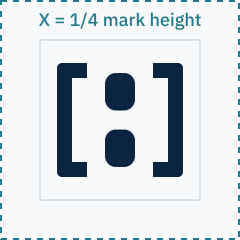
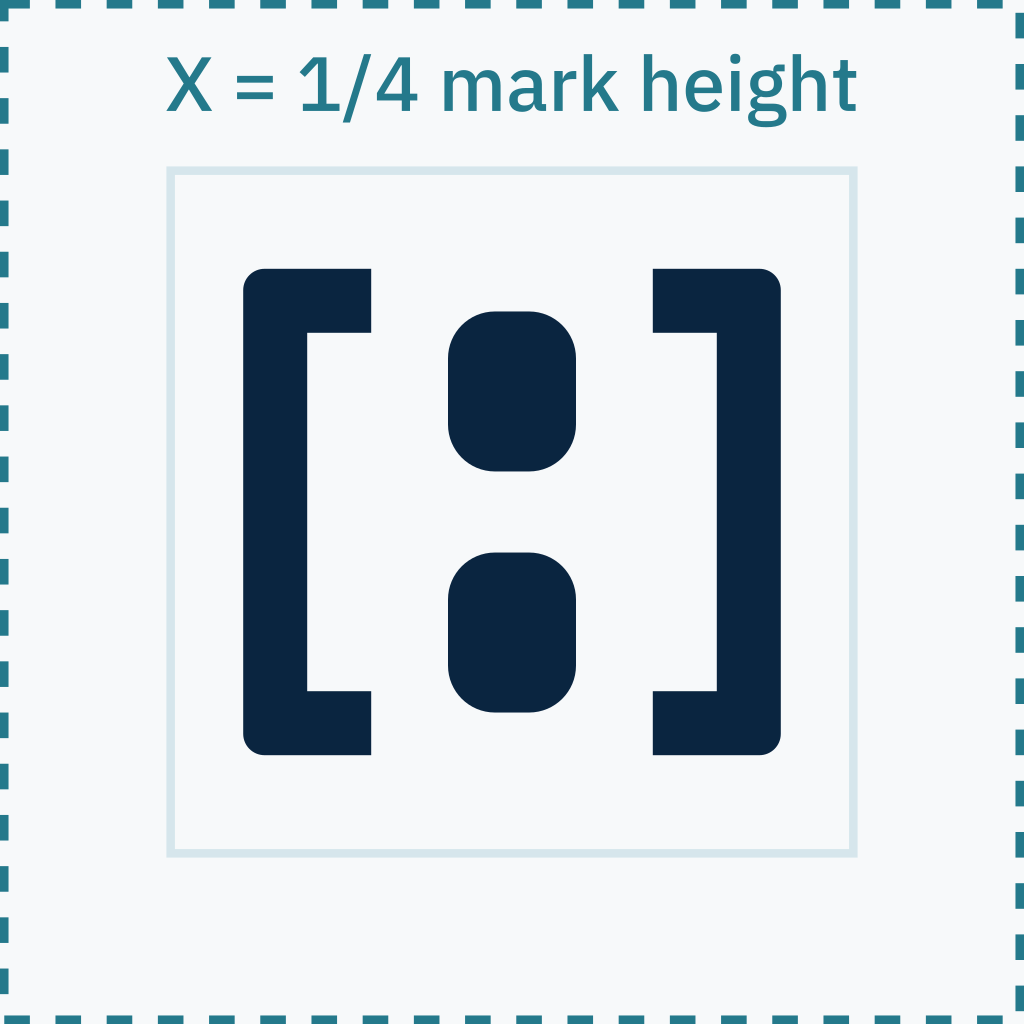
PNG · Own background · 1024×1024 · 26 KB
Clear space on all four sides is X, where X = 1/4 of the mark height. For lockups, X = 1/4 of the beeldmerk height. Nothing — type, rule, image edge or another logo — may enter that area.
Minimum sizes
- Beeldmerk A1.2
- 16px on screen · 5mm in print
- Beeldmerk A1.1
- 64px on screen · 16mm in print
- Horizontal lockup
- 120px wide on screen · 32mm in print
- Stacked lockup
- 88px wide on screen · 24mm in print
- Wordmark only
- 96px wide on screen
05
Wordmark and lockups
W3-a is the canonical colour wordmark; W3-b is the canonical monochrome wordmark. Metrics are identical, so lockups never re-flow.
W3-a colour
BobbyID
PNG · Transparent · 1024×221 · 21 KB
https://bobbyid.com/images/bobby-id-wordmark-color-transparent-1024.png
W3-b monochrome
BobbyID
PNG · Dark field · 1024×221 · 20 KB
https://bobbyid.com/images/bobby-id-wordmark-mono-dark-black-1024.png
Horizontal lockup
BobbyID
PNG · Transparent · 1024×190 · 18 KB
https://bobbyid.com/images/bobby-id-logo-horizontal-color-transparent-1024.png
Stacked lockup
BobbyID
PNG · Transparent · 1024×672 · 27 KB
https://bobbyid.com/images/bobby-id-logo-stacked-color-transparent-1024.png
Compact navigation (A1.2)
BobbyID
PNG · Transparent · 1024×190 · 18 KB
https://bobbyid.com/images/bobby-id-logo-navigation-compact-transparent-1024.png
OAuth consent header


PNG · Own background · 640×168 · 46 KB
https://bobbyid.com/images/bobby-id-oauth-consent-header-field-640.png
Beeldmerk A1.1 master

PNG · Transparent · 1024×1024 · 15 KB
https://bobbyid.com/images/bobby-id-beeldmerk-a1-1-navy-transparent-1024.png
Beeldmerk A1.2 compact

PNG · Transparent · 1024×1024 · 15 KB
https://bobbyid.com/images/bobby-id-beeldmerk-a1-2-navy-transparent-1024.png
Typography and kerning
- Family
- IBM Plex Sans
- Mono companion
- IBM Plex Mono
- Licence
- SIL Open Font License 1.1 — free for commercial web, app, print and embedding; self-hostable and redistributable; no runtime fees.
- Fallback stack
- 'IBM Plex Sans', ui-sans-serif, system-ui, -apple-system, 'Segoe UI', Roboto, Helvetica, Arial, sans-serif
- SemiBold 600
- Bobby in the wordmark, display headings, button labels
- Medium 500
- ID in the wordmark, subheadings, UI labels, badges
- Regular 400
- Body copy, long-form documentation
- IBM Plex Mono 400/500
- Record data: identifiers, hashes, timestamps, scopes
- Overall tracking
- −0.012 em
- Optical word space (Bobby | ID)
- 0.20 em, set as an optical space, not a literal word space
- y | I junction correction
- −0.014 em, compensating for the y descender overhang
- ID internal tracking
- +0.055 em
- Cap alignment
- ID sits on the baseline at full cap height — never raised, never reduced
Distribution logo files carry the typography as vector outlines. The editable source lives inscripts/brand/lib.mjs, which regenerates every asset from live font metrics.
06
Colour system — P3 Digital Passport Blue
Eight canonical tokens. Two of them are cyan and they are not interchangeable.
Deep Navy
--bobby-id-deep-navy
#0A2540 · rgb(10 37 64)
hsl(210 73% 15%)
oklch(0.2599 0.0604 251.32)
CMYK 84 / 42 / 0 / 75 · Pantone ≈ 539 C (approximate)
Trust foundation. Primary dark surface and primary dark text.
Identity Blue
--bobby-id-identity-blue
#145DA0 · rgb(20 93 160)
hsl(209 78% 35%)
oklch(0.4725 0.1276 251.45)
CMYK 88 / 42 / 0 / 37 · Pantone ≈ 2151 C (approximate)
Primary interactive and brand emphasis colour. ID in the colour wordmark.
Security Cyan
--bobby-id-security-cyan
#2A8FA3 · rgb(42 143 163)
hsl(190 59% 40%)
oklch(0.6022 0.0938 214.01)
CMYK 74 / 12 / 0 / 36 · Pantone ≈ 7712 C (approximate)
Non-text graphics, larger visual elements, security-document patterns. Never small text.
Text Cyan
--bobby-id-text-cyan
#24798B · rgb(36 121 139)
hsl(190 59% 34%)
oklch(0.5345 0.0827 215.05)
CMYK 74 / 13 / 0 / 45 · Pantone ≈ 7713 C (approximate)
Used only where Security Cyan fails normal-text contrast, on White or Cool Paper.
Pale Security Blue
--bobby-id-pale-security-blue
#D6E6EC · rgb(214 230 236)
hsl(196 37% 88%)
oklch(0.9148 0.0190 222.17)
CMYK 9 / 3 / 0 / 7 · Pantone ≈ 5455 C (approximate)
Subtle panels, dividers, security surfaces. Never a text colour.
Cool Paper
--bobby-id-cool-paper
#F7F9FA · rgb(247 249 250)
hsl(200 23% 97%)
oklch(0.9809 0.0025 228.78)
CMYK 1 / 0 / 0 / 2 · Pantone ≈ 11-4201 TPG (approximate)
Principal light, document-like background.
Muted Blue Grey
--bobby-id-muted-blue-grey
#66788A · rgb(102 120 138)
hsl(210 15% 47%)
oklch(0.5646 0.0352 248.45)
CMYK 26 / 13 / 0 / 46 · Pantone ≈ 7545 C (approximate)
Secondary text only where contrast passes (White, Cool Paper).
White
--bobby-id-white
#FFFFFF · rgb(255 255 255)
hsl(0 0% 100%)
oklch(1.0000 0.0000 89.88)
CMYK 0 / 0 / 0 / 0 · Pantone Unprinted stock
Clean surfaces and reverse treatments.
The accessible text-cyan rule
Security Cyan #2A8FA3 reaches only 3.78:1 on White and 3.58:1 on Cool Paper. It is approved for non-text graphics, larger visual elements and the guilloché pattern — never for normal text. Where cyan text is required on White or Cool Paper, use Text Cyan #24798B (5.02:1 / 4.75:1). On Deep Navy, cyan text must be #7FC8DA. The two cyans have separate jobs and must never be swapped for one another.
Contrast matrix
| Foreground | White | Cool Paper | Pale Security Blue | Deep Navy | Identity Blue |
|---|---|---|---|---|---|
| Deep Navy | 15.54 AAA | 14.71 AAA | 12.13 AAA | 1.00 fail | 2.30 fail |
| Identity Blue | 6.77 AA | 6.41 AA | 5.28 AA | 2.30 fail | 1.00 fail |
| Security Cyan | 3.78 AA large / non-text | 3.58 AA large / non-text | 2.95 fail | 4.11 AA large / non-text | 1.79 fail |
| Text Cyan | 5.02 AA | 4.75 AA | 3.92 AA large / non-text | 3.09 AA large / non-text | 1.35 fail |
| Muted Blue Grey | 4.55 AA | 4.31 AA large / non-text | 3.55 AA large / non-text | 3.42 AA large / non-text | 1.49 fail |
| White | 1.00 fail | 1.06 fail | 1.28 fail | 15.54 AAA | 6.77 AA |
Thresholds: AA normal 4.5:1 · AA large 3.0:1 (≥18.66px bold or ≥24px regular) · non-text 3.0:1.
Approved pairings
- Deep Navy text on White, Cool Paper or Pale Security Blue (12.1–15.5:1).
- White text on Deep Navy (15.5:1) or Identity Blue (6.8:1).
- Identity Blue text on White or Cool Paper (6.4–6.8:1).
- Text Cyan for small cyan text on White or Cool Paper only (4.8–5.0:1).
- Muted Blue Grey secondary text on White or Cool Paper only (4.3–4.6:1).
- Cyan on Deep Navy: use #7FC8DA for text; #2A8FA3 for graphics only.
Forbidden pairings
- Security Cyan #2A8FA3 as small text on any surface (max 4.11:1, fails AA).
- Text Cyan #24798B as text on Deep Navy (3.09:1) or Pale Security Blue (3.92:1).
- Muted Blue Grey on Pale Security Blue (3.55:1) or Deep Navy (3.42:1).
- Identity Blue on Deep Navy (2.30:1) in any role, including icons.
- Any cyan value on Identity Blue.
- The guilloché pattern behind body text at any opacity.
Dark-mode mapping
- Surface
- Deep Navy #0A2540
- Raised surface
- #0E2F50
- Primary text
- White
- Secondary text
- #A9BCCC
- Interactive
- #7FB2E2 (Identity Blue is too dark on navy at 2.30:1)
- Cyan text
- #7FC8DA
- Cyan graphics
- Security Cyan #2A8FA3
- Borders
- White at 14%
Print limitations
- CMYK values are guidance for coated stock; always proof before a production run.
- Pantone references are visual approximations and must be confirmed against a physical guide.
- Deep Navy on uncoated stock gains and can read black — consider a lighter build or a spot colour.
- The guilloché hairline is 0.7u; below 40mm width it fills in on offset and must be omitted.
- Never print the two cyans adjacent at small size — they will read as a printing error.
07
Typography in use
One family, three weights, one mono companion for record data.
Verify once. Share only what is needed.
Continue with Bobby ID
Body copy is IBM Plex Sans Regular 400 at 16px with a 1.6 line height. Long-form measure is capped at 72 characters.
scope=profile:name · verified_at=2026-08-23T09:14:02Z
08
Iconography
Line icons, 2px stroke on a 24px grid, round caps and joins, drawn in Deep Navy or Identity Blue.
- Stroke 2px at 24px; scale the stroke proportionally, never visually thinner than 1.5px.
- Corners follow the beeldmerk easing — 2px radius at 24px.
- No filled icons except inside a badge or a solid button.
- No padlocks, shields, fingerprints, eyes or faces as generic decoration; reserve security metaphors for surfaces that genuinely describe security.
- An icon never carries meaning alone — pair it with a label or an accessible name.
09
Security-document pattern
Nine layered sine paths at 0.7u hairline weight, drawn in Text Cyan on light fields and #7FC8DA on Deep Navy. The pattern echoes a security document without imitating one.

Light guilloché pattern
Guilloché security pattern — light surfaces
Used in: Bobby ID Card, secure documents, dividers, backgrounds

PNG · Transparent · 1200×400 · 92 KB
https://bobbyid.com/images/bobby-id-pattern-light-transparent-1200.png

Dark guilloché pattern
Guilloché security pattern — dark surfaces
Used in: Bobby ID Card, secure documents, dividers, backgrounds

PNG · Transparent · 1200×400 · 96 KB
https://bobbyid.com/images/bobby-id-pattern-dark-transparent-1200.png

Identity Blue guilloché pattern
Guilloché security pattern — Identity Blue
Used in: Bobby ID Card, secure documents, dividers, backgrounds

PNG · Transparent · 1200×400 · 84 KB
https://bobbyid.com/images/bobby-id-pattern-identity-blue-transparent-1200.png

Security Cyan guilloché pattern
Guilloché security pattern — Security Cyan (non-text use)
Used in: Bobby ID Card, secure documents, dividers, backgrounds

PNG · Transparent · 1200×400 · 91 KB
https://bobbyid.com/images/bobby-id-pattern-security-cyan-transparent-1200.png

Compact panel guilloché pattern
Guilloché compact panel
Used in: Bobby ID Card, secure documents, dividers, backgrounds

PNG · Transparent · 480×200 · 37 KB
https://bobbyid.com/images/bobby-id-pattern-panel-compact-transparent-480.png

Section divider guilloché pattern
Guilloché divider rule
Used in: Bobby ID Card, secure documents, dividers, backgrounds

PNG · Transparent · 1200×64 · 42 KB
https://bobbyid.com/images/bobby-id-pattern-divider-transparent-1200.png

Large background guilloché pattern
Guilloché large background panel
Used in: Bobby ID Card, secure documents, dividers, backgrounds

PNG · Transparent · 1920×1080 · 208 KB
https://bobbyid.com/images/bobby-id-pattern-background-large-transparent-1920.png

Social field guilloché pattern
Guilloché field tuned for social artwork
Used in: Bobby ID Card, secure documents, dividers, backgrounds

PNG · Transparent · 1200×630 · 122 KB
https://bobbyid.com/images/bobby-id-pattern-social-transparent-1200.png
Safe opacity ranges
- Large background
- 22–28%
- Compact panel
- 26–32%
- Section divider
- 28–34%
- Social background
- 24–30%
Approved combinations
- Text Cyan on White or Cool Paper.
- #7FC8DA on Deep Navy.
- Identity Blue on Cool Paper for editorial dividers.
- Security Cyan on Cool Paper for security and privacy pages.
Never
- Never behind body text.
- Never with national symbols, crests, coats of arms or currency language.
- Never with fake machine-readable zones, fake document numbers or fake barcodes.
- Never as a logo, mark or avatar.
- Never inside a beeldmerk, or behind a mark below 96px.
- Never at an opacity that reduces the contrast of anything placed over it below its required ratio.
10
Continue with Bobby ID buttons
The official label is “Continue with Bobby ID”. This is a visual kit only — it carries no authentication behaviour.
Focus is a 3px Cool Paper ring plus a 3px Identity Blue ring — tab to a button above to see it.

Continue with Bobby ID — light
Continue with Bobby ID — light field, default
Used in: Continue with Bobby ID sign-in surfaces (relying-party integrations)

PNG · Transparent · 251×48 · 5 KB
https://bobbyid.com/images/bobby-id-continue-button-light-transparent-251.png

Continue with Bobby ID — dark
Continue with Bobby ID — dark field
Used in: Continue with Bobby ID sign-in surfaces (relying-party integrations)

PNG · Transparent · 251×48 · 5 KB
https://bobbyid.com/images/bobby-id-continue-button-dark-transparent-251.png

Continue with Bobby ID — primary
Continue with Bobby ID — Identity Blue primary
Used in: Continue with Bobby ID sign-in surfaces (relying-party integrations)

PNG · Transparent · 251×48 · 4 KB
https://bobbyid.com/images/bobby-id-continue-button-primary-transparent-251.png

Continue with Bobby ID — outline
Continue with Bobby ID — outline
Used in: Continue with Bobby ID sign-in surfaces (relying-party integrations)

PNG · Transparent · 251×48 · 4 KB
https://bobbyid.com/images/bobby-id-continue-button-outline-transparent-251.png

Continue with Bobby ID — compact
Continue with Bobby ID — 40px compact
Used in: Continue with Bobby ID sign-in surfaces (relying-party integrations)

PNG · Transparent · 215×40 · 4 KB
https://bobbyid.com/images/bobby-id-continue-button-compact-transparent-215.png

Continue with Bobby ID — mobile
Continue with Bobby ID — 52px mobile touch target
Used in: Continue with Bobby ID sign-in surfaces (relying-party integrations)

PNG · Transparent · 253×52 · 5 KB
https://bobbyid.com/images/bobby-id-continue-button-mobile-transparent-253.png

Continue with Bobby ID — icon-only
Continue with Bobby ID — icon-only
Used in: Continue with Bobby ID sign-in surfaces (relying-party integrations)

PNG · Transparent · 48×48 · 1 KB
https://bobbyid.com/images/bobby-id-continue-button-icon-only-transparent-48.png

Continue with Bobby ID — hover
Continue with Bobby ID — hover state
Used in: Continue with Bobby ID sign-in surfaces (relying-party integrations)

PNG · Transparent · 251×48 · 5 KB
https://bobbyid.com/images/bobby-id-continue-button-hover-transparent-251.png

Continue with Bobby ID — focus
Continue with Bobby ID — focus state
Used in: Continue with Bobby ID sign-in surfaces (relying-party integrations)

PNG · Transparent · 267×64 · 6 KB
https://bobbyid.com/images/bobby-id-continue-button-focus-transparent-267.png

Continue with Bobby ID — active
Continue with Bobby ID — active state
Used in: Continue with Bobby ID sign-in surfaces (relying-party integrations)

PNG · Transparent · 251×48 · 5 KB
https://bobbyid.com/images/bobby-id-continue-button-active-transparent-251.png

Continue with Bobby ID — disabled
Continue with Bobby ID — disabled state
Used in: Continue with Bobby ID sign-in surfaces (relying-party integrations)

PNG · Transparent · 251×48 · 5 KB
https://bobbyid.com/images/bobby-id-continue-button-disabled-transparent-251.png

Continue with Bobby ID — loading
Continue with Bobby ID — loading state
Used in: Continue with Bobby ID sign-in surfaces (relying-party integrations)

PNG · Transparent · 251×48 · 4 KB
https://bobbyid.com/images/bobby-id-continue-button-loading-transparent-251.png

Continue with Bobby ID — unavailable
Continue with Bobby ID — unavailable state
Used in: Continue with Bobby ID sign-in surfaces (relying-party integrations)

PNG · Transparent · 250×48 · 5 KB
https://bobbyid.com/images/bobby-id-continue-button-unavailable-transparent-250.png
Variants
- Light
- White field, Pale Security Blue 1px border, Deep Navy ink and mark. Default on light relying-party pages.
- Dark
- Deep Navy field, White ink and mark. Default on dark relying-party pages.
- Primary
- Identity Blue field, White ink. Only when Bobby ID is the primary or single sign-in route.
- Outline
- Transparent field, Deep Navy 1px border and ink. For secondary placements.
- Compact
- 40px height, 14px label. Dense forms and modals.
- Mobile
- 52px height, full-width. Native and mobile web.
- Icon only
- Square, mark only. Permitted only where a labelled Bobby ID control is already visible on the same screen.
States
- Hover
- Cool Paper field, Identity Blue border. No movement, no shadow.
- Focus
- 3px Cool Paper ring plus 3px Identity Blue ring, offset 3px. Never remove the focus ring.
- Active
- Pale Security Blue field, Identity Blue border.
- Disabled
- Cool Paper field, Muted Blue Grey ink at 60% opacity, aria-disabled, no pointer events.
- Loading
- Mark stays, label becomes Connecting…, with an Identity Blue arc spinner and aria-busy.
- Unavailable
- Label becomes Bobby ID is unavailable, with an explanatory sentence beneath the button.
Metrics
- Height
- 48px default · 40px compact · 52px mobile · minimum touch target 44px
- Corner radius
- 10px — deliberately unlike Google's 4px and Apple's pill
- Horizontal padding
- 20px default · 16px compact
- Icon size
- 50% of button height (24px at 48px)
- Icon-to-label gap
- 12px default · 10px compact
- Label
- IBM Plex Sans Medium 500, 16px, +0.004em tracking
- Minimum width
- 212px default · 178px compact · icon-only equals its height
Accessibility
- The control is a real <button> or <a>, never a bare div.
- Accessible name is exactly Continue with Bobby ID, including the icon-only variant.
- Contrast: label ≥ 4.5:1, mark and border ≥ 3:1 against the button field.
- Focus is visible in both light and dark relying-party themes.
- Loading sets aria-busy; disabled sets aria-disabled and keeps the label readable.
Distinct from other providers
- Bracket beeldmerk, not a coloured G, an apple, a four-square grid, an f, or a national crest.
- 10px radius and a credential-register navy-on-paper palette rather than Google's white/blue or Apple's black pill.
- The label names the identity product in full — Bobby ID — with no provider logotype inside the button.
- No coloured icon tile, no vertical divider rule between icon and label.
Incorrect use
- Do not translate or reword the label.
- Do not shorten the label to Continue with Bobby, and do not append Account, Login or Sign in.
- Do not recolour the field outside the approved variants.
- Do not place the mark on the right of the label.
- Do not stretch the button so the icon-to-label gap exceeds 24px.
- Do not stack the Bobby ID button below the fold when competing providers sit above it.
Relying-party guidance
- On light pages use the Light or Outline variant; on dark pages use the Dark variant.
- Give the Bobby button the same width, height and vertical rhythm as any competing provider button in the same stack.
- Never restyle the button to match a relying party's own brand colours.
- Keep 8px minimum vertical spacing between provider buttons and never overlap the focus ring.
11
Verification is not membership
Verification is not membership. Membership is not verification.
Verification
A verification badge is a statement about identity assurance: what Bobby ID checked, how, and when. It is earned through a check and can be revoked when the evidence expires or fails.
Membership
A membership badge is a statement about a paid commercial relationship. It is bought, renewed and cancelled, and it says nothing about who a person is.
Hard separation rules
- Buying any membership never grants, upgrades or accelerates a verification level.
- Holding any verification level never grants, discounts or implies a membership.
- A membership badge may never use the Bobby check stroke, the passport arch silhouette or the word “verified”.
- A verification badge may never use a membership metal, medallion, service plate or card treatment.
- The two families never merge into a single combined badge, ever.
- Where both appear on one avatar, verification sits at the lower right and membership at the upper right, never overlapping.
Side by side
| Aspect | Verification | Membership |
|---|---|---|
| What it states | What Bobby ID checked about identity. | What the account has bought. |
| How it is obtained | Earned by passing a check. | Purchased, or by invitation for Bobby Black. |
| Silhouette | Passport arch. | Medallion (status) or cut-corner plate (concierge). |
| Colour | P3 Digital Passport Blue only. | Membership metals only — never P3 blue as the badge signal. |
| Check stroke | Only V3 Identity Verified carries it. | Never. |
| Word “verified” | Required in the label. | Forbidden anywhere. |
| Avatar position | Lower right. | Upper right. |
| Precedence | Always shown first when space is limited. | Hidden on compact surfaces. |
| Can it be bought | No. Never, at any price. | Yes — that is precisely what it is. |
| Can it be revoked | Yes, when evidence expires or fails. | Yes, when the paid relationship ends. |
| Emoji artwork | None — assurance is not a reaction. | Yes, one per membership. |
| Availability today | Design only; no pipeline is live. | Planned; nothing is purchasable. |
Confusion tests
- Could a reasonable user believe this badge was bought?
- Membership silhouettes, metals and card language make the commercial nature explicit; no membership asset borrows an assurance cue.
- Could a reasonable user believe this badge proves identity?
- Only the arch family says “verified”, and each level states its own limits in the tooltip.
- Does the design survive greyscale?
- Levels differ by fill and glyph; memberships differ by silhouette and countable rank bars.
- Does the design survive 16px?
- Icon-only artwork keeps a single glyph; below 24px the text label is mandatory.
- Does a screen reader hear the difference?
- Accessible labels name the level and its bound; membership labels name a planned paid membership.
12
Verification badges — V1, V2, V3
Three assurance levels in one coherent blue system, all built on the passport arch. Shape, fill and glyph carry the level; colour is never the only signal.
V1 — Contact Verified




- Shape
- Passport arch, outline only, Identity Blue, two counter bars, no check stroke.
- What it means
- At least one email address or telephone number has been verified as reachable and controlled by this account.
- What it does not mean
- It does not prove real-world identity, does not prove age, and does not prove that the profile name is real.
- Tooltip
- Contact Verified — at least one email address or telephone number has been verified. This does not prove identity, age or that the profile name is real.
- Accessible label
- Contact Verified, Bobby ID verification level one of three
- Revocation
- Revoked automatically when the last verified contact point is removed, bounces persistently, or fails re-verification.
light

PNG · Transparent · 64×64 · 2 KB
dark

PNG · Transparent · 64×64 · 2 KB
mono

PNG · Transparent · 64×64 · 2 KB
V2 — Age Verified




- Shape
- Passport arch, lower third filled, white threshold rule with an upward marker crossing it. No date of birth is ever shown.
- What it means
- The approved Bobby ID age-verification process confirmed that the account meets the applicable age threshold at a point in time.
- What it does not mean
- It does not necessarily establish full legal identity, and it never exposes or implies a date of birth.
- Tooltip
- Age Verified — the approved age-verification process confirmed the applicable age threshold. It does not necessarily establish full legal identity and never exposes a date of birth.
- Accessible label
- Age Verified, Bobby ID verification level two of three
- Revocation
- Revoked when the underlying evidence expires, when the provider withdraws the result, or when a re-check fails.
light

PNG · Transparent · 64×64 · 2 KB
dark

PNG · Transparent · 64×64 · 2 KB
mono

PNG · Transparent · 64×64 · 2 KB
V3 — Identity Verified




- Shape
- Passport arch, solid Deep Navy, white A1.2 beeldmerk above the Bobby check stroke. This is the Bobby Verified master symbol.
- What it means
- Bobby ID completed the approved full identity-verification process, which may include a supported identity document, a selfie, a liveness check and an identity match.
- What it does not mean
- It does not guarantee that a person is honest, safe, qualified, solvent or trustworthy. It is a statement about identity assurance, never a judgement of character.
- Tooltip
- Identity Verified — Bobby ID completed the approved full identity-verification process. It is a statement about identity assurance, not a judgement of character.
- Accessible label
- Identity Verified, Bobby ID verification level three of three
- Revocation
- Revoked on document expiry, on a failed re-verification, on confirmed fraud, or where a legal obligation requires it.
light

PNG · Transparent · 64×64 · 2 KB
dark

PNG · Transparent · 64×64 · 2 KB
mono

PNG · Transparent · 64×64 · 2 KB
V1 full badge
V1 Contact Verified — full badge with label, light treatment
Used in: Profiles, avatars, Bobby ID Card, verifier console, API badge rendering

PNG · Transparent · 512×130 · 15 KB
https://bobbyid.com/images/bobby-id-verify-contact-full-light-transparent-512.png
V2 full badge
V2 Age Verified — full badge with label, light treatment
Used in: Profiles, avatars, Bobby ID Card, verifier console, API badge rendering

PNG · Transparent · 512×155 · 17 KB
https://bobbyid.com/images/bobby-id-verify-age-full-light-transparent-512.png
V3 full badge
V3 Identity Verified — full badge with label, light treatment
Used in: Profiles, avatars, Bobby ID Card, verifier console, API badge rendering

PNG · Transparent · 512×129 · 14 KB
https://bobbyid.com/images/bobby-id-verify-identity-full-light-transparent-512.png

18+ threshold variant
V2 Age Verified — 18+ threshold variant, light treatment
Used in: Profiles, avatars, Bobby ID Card, verifier console, API badge rendering

PNG · Transparent · 512×155 · 16 KB
https://bobbyid.com/images/bobby-id-verify-age-18plus-light-transparent-512.png
Bobby Verified master symbol
Reserved for V3 Identity Verified only.
- The master symbol is the V3 emblem used alone, at large display sizes or as a standalone trust mark.
- It is never applied to V1 or V2, to any membership, or to an unverified account.
- It is deliberately not a generic blue circle with a check: the passport arch and the beeldmerk carry the meaning.
- It is never recoloured into a membership metal and never placed on a membership card.
- Third parties may only use it under the Bobby ID trademark and brand licence.

PNG · Transparent · 512×512 · 14 KB

PNG · Transparent · 512×512 · 14 KB

PNG · Transparent · 512×512 · 17 KB
Badge rules
- Shape, fill and glyph carry the level — colour is never the only signal.
- Levels are cumulative in assurance but each badge stands alone; only the highest earned level is shown by default.
- Never render below 16px. Below 24px the text label must appear alongside the badge.
- Every badge exposes a plain-language tooltip and an accessible label that names the level and its limits.
- Monochrome fallback keeps the arch and glyph and drops the fill.
- Never invent a fourth level, a star, a tick-only badge, a “trusted” state or a government-style seal, crest or rosette.
- A verification badge is never sold, gifted, transferred or granted as a membership benefit.
Retired badges
- bobby-id-created — Account creation is not a verification level. Showing it beside real checks inflated the perceived assurance of simply signing up. Retired in the V1–V3 hierarchy and removed from the asset registry.
13
Membership system (planned)
Six planned paid memberships: three status tiers and three concierge tiers. Nothing here is available for purchase and no price shown is an offer.
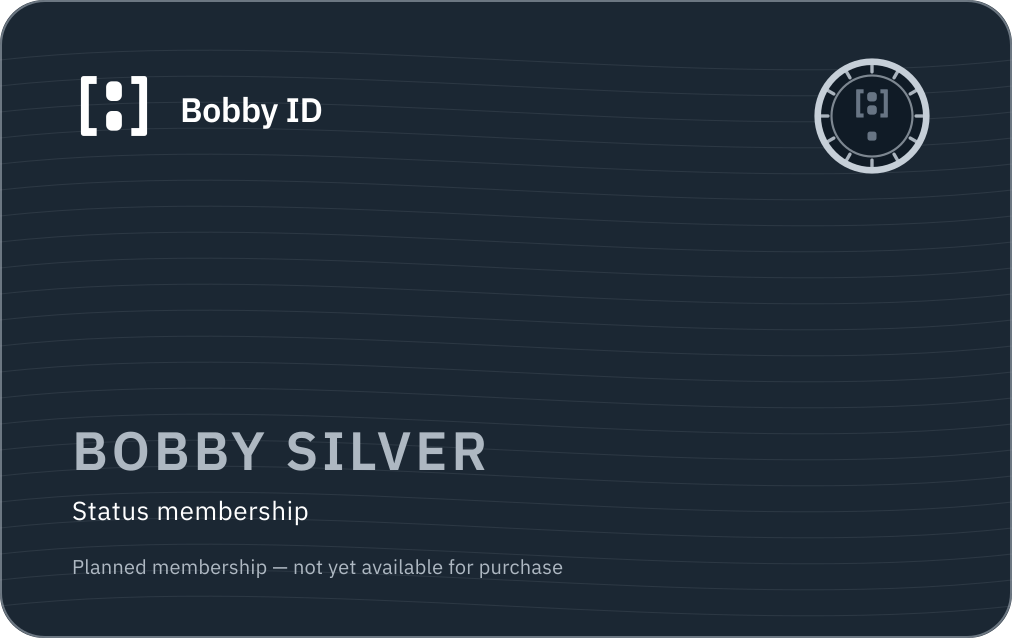
Bobby Silver — status membership




- Positioning
- Entry status membership — a first step above the free account.
- Visual character
- Quiet, restrained, cool. The lightest metal in the family.
- Emblem
- Notched medallion with one rank bar.
- Indicative launch price
- €4.99/month · €49/year
- Pricing note
- Indicative launch pricing, excluding tax.
- Access
- Open to purchase at launch.

PNG · Transparent · 64×64 · 5 KB
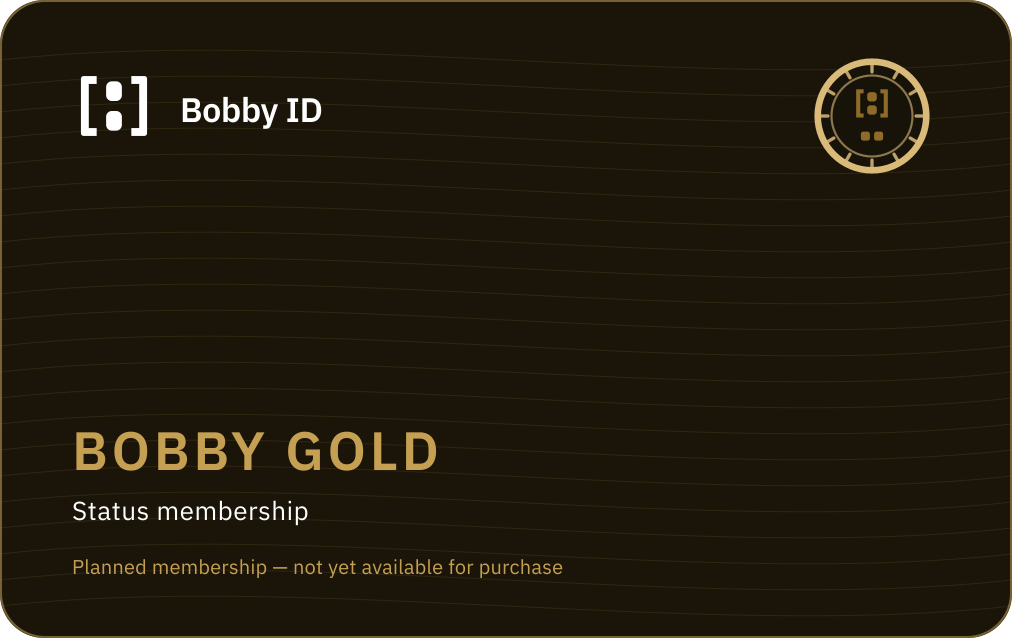
Bobby Gold — status membership




- Positioning
- Mid status membership — the mainstream paid tier.
- Visual character
- Warm metal, still institutional. Confident, never flashy.
- Emblem
- Notched medallion with two rank bars.
- Indicative launch price
- €9.99/month · €99/year
- Pricing note
- Indicative launch pricing, excluding tax.
- Access
- Open to purchase at launch.

PNG · Transparent · 64×64 · 5 KB
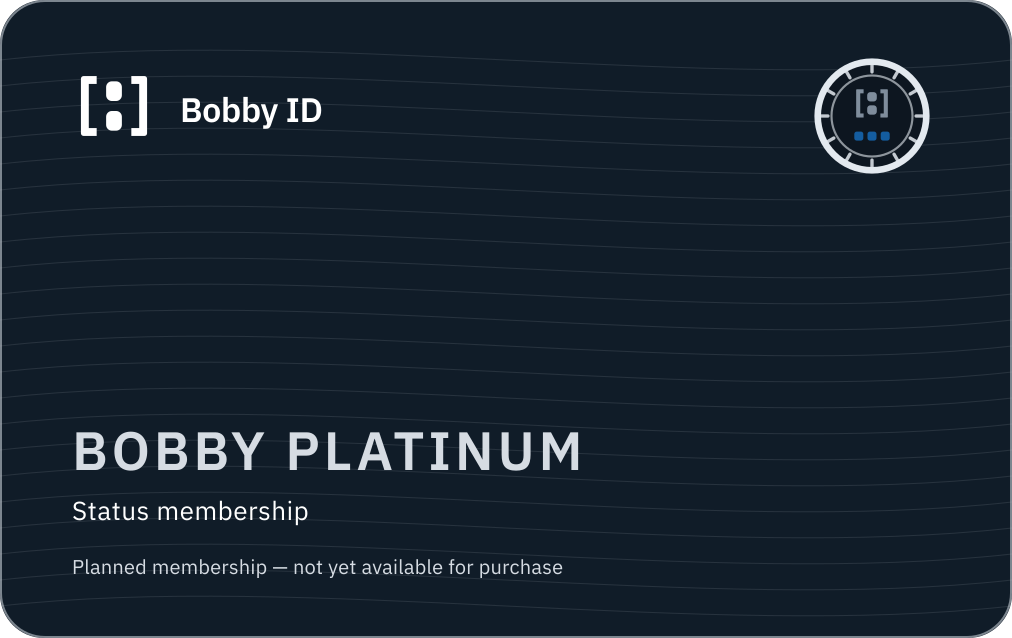
Bobby Platinum — status membership




- Positioning
- Top status membership — the highest openly purchasable status tier.
- Visual character
- Cool, precise, technical. Pale metal with an Identity Blue accent.
- Emblem
- Notched medallion with three rank bars.
- Indicative launch price
- €19.99/month · €199/year
- Pricing note
- Indicative launch pricing, excluding tax.
- Access
- Open to purchase at launch.

PNG · Transparent · 64×64 · 5 KB
Bobby Travel — concierge membership




- Positioning
- Concierge membership for travel service, delivered by BobbyTravel.com. Bobby ID sells and holds the entitlement; it does not deliver the travel service.
- Visual character
- Identity Blue service plate with a Security Cyan service arc. Calm, operational.
- Emblem
- Cut-corner service plate with a service arc.
- Indicative launch price
- €39/month · €390/year
- Pricing note
- Indicative launch pricing, excluding tax. Travel services are billed separately by BobbyTravel.com.
- Access
- Open to purchase at launch, subject to service availability.

PNG · Transparent · 64×64 · 2 KB
Bobby Business — concierge membership




- Positioning
- Concierge membership for professional and business use.
- Visual character
- Deep institutional navy, squared and administrative.
- Emblem
- Cut-corner service plate with a desk rule.
- Indicative launch price
- €79/month · €790/year
- Pricing note
- Indicative launch pricing, excluding tax.
- Access
- Open to purchase at launch.

PNG · Transparent · 64×64 · 1 KB
Bobby Black — concierge membership




- Positioning
- Invitation-only concierge membership at the top of the catalogue.
- Visual character
- Near-black plate, one cool-metal hairline, no ornament. Restraint is the signal.
- Emblem
- Cut-corner service plate, mark only, cool-metal hairline.
- Indicative launch price
- €2500/year
- Pricing note
- Indicative annual launch pricing, excluding tax. By invitation only; never publicly purchasable.
- Access
- Invitation only. Never listed with a buy button.

PNG · Transparent · 64×64 · 1 KB
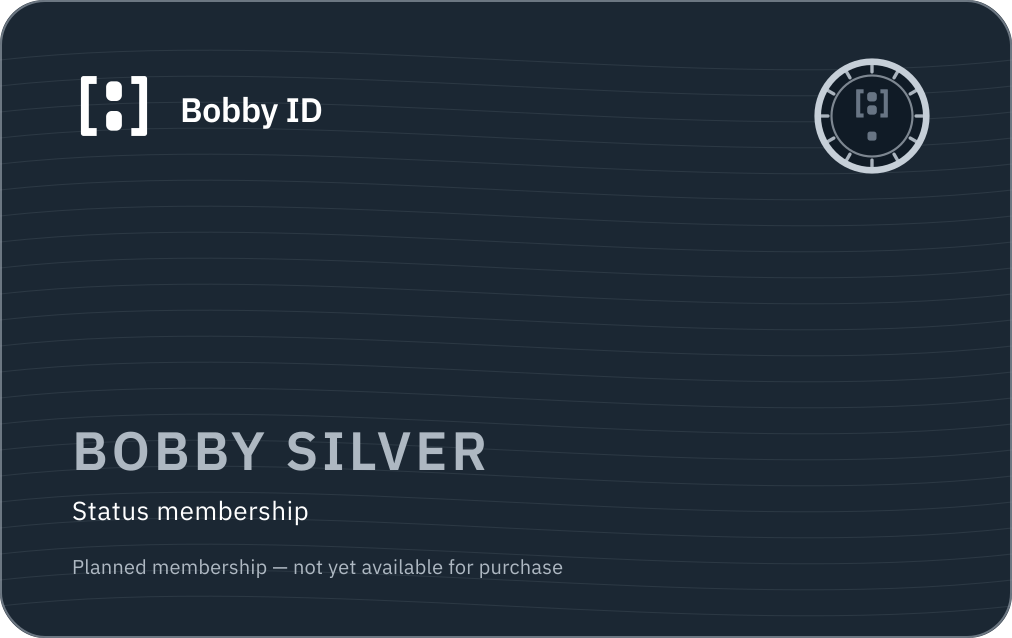
Bobby Silver card concept
Bobby silver membership card concept — planned, not a payment instrument
Used in: Profiles, avatars, Bobby ID Card, membership pages, community emoji
PNG · Own background · 1012×638 · 97 KB
https://bobbyid.com/images/bobby-id-member-silver-card-field-1012.png
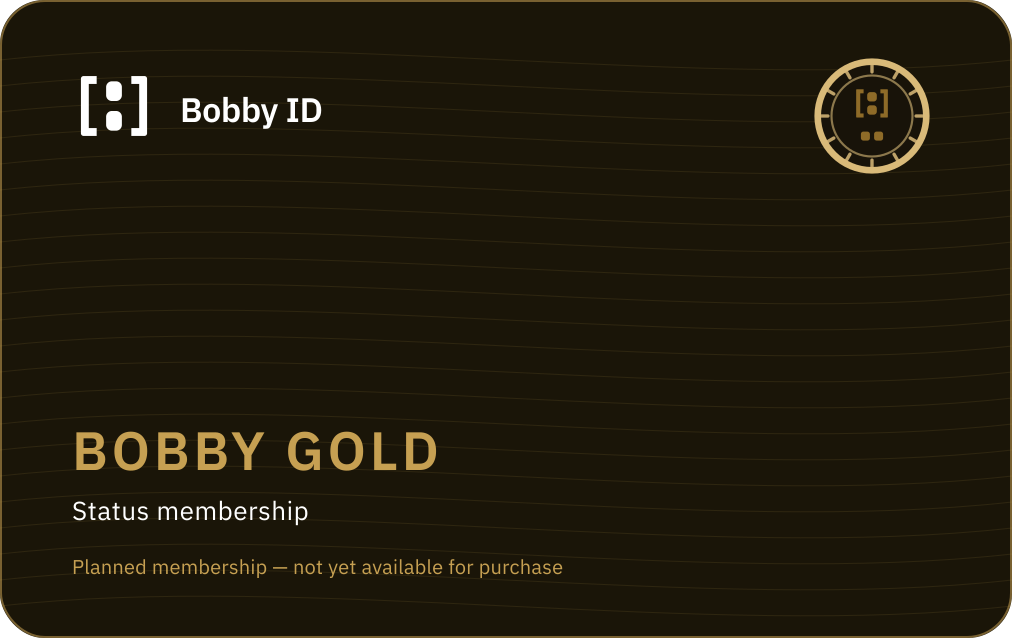
Bobby Gold card concept
Bobby gold membership card concept — planned, not a payment instrument
Used in: Profiles, avatars, Bobby ID Card, membership pages, community emoji
PNG · Own background · 1012×638 · 92 KB
https://bobbyid.com/images/bobby-id-member-gold-card-field-1012.png
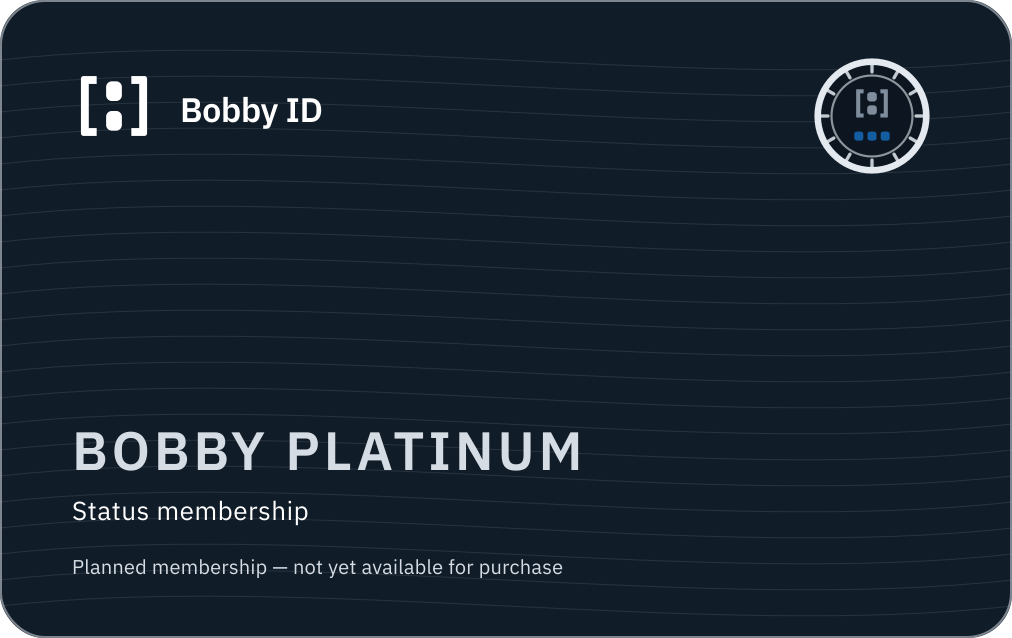
Bobby Platinum card concept
Bobby platinum membership card concept — planned, not a payment instrument
Used in: Profiles, avatars, Bobby ID Card, membership pages, community emoji
PNG · Own background · 1012×638 · 99 KB
https://bobbyid.com/images/bobby-id-member-platinum-card-field-1012.png
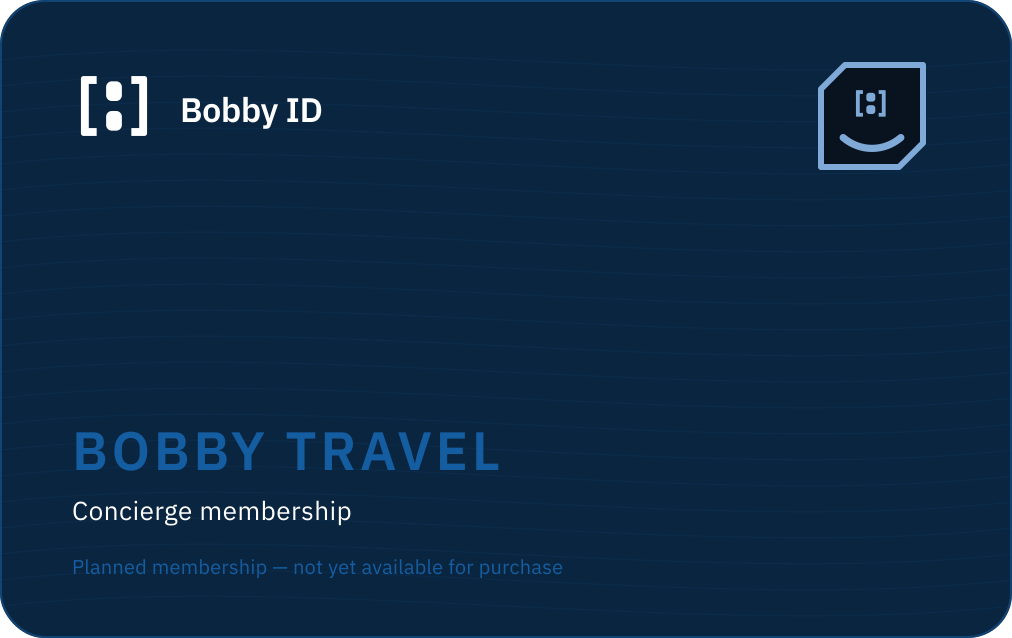
Bobby Travel card concept
Bobby travel membership card concept — planned, not a payment instrument
Used in: Profiles, avatars, Bobby ID Card, membership pages, community emoji
PNG · Own background · 1012×638 · 78 KB
https://bobbyid.com/images/bobby-id-member-travel-card-field-1012.png
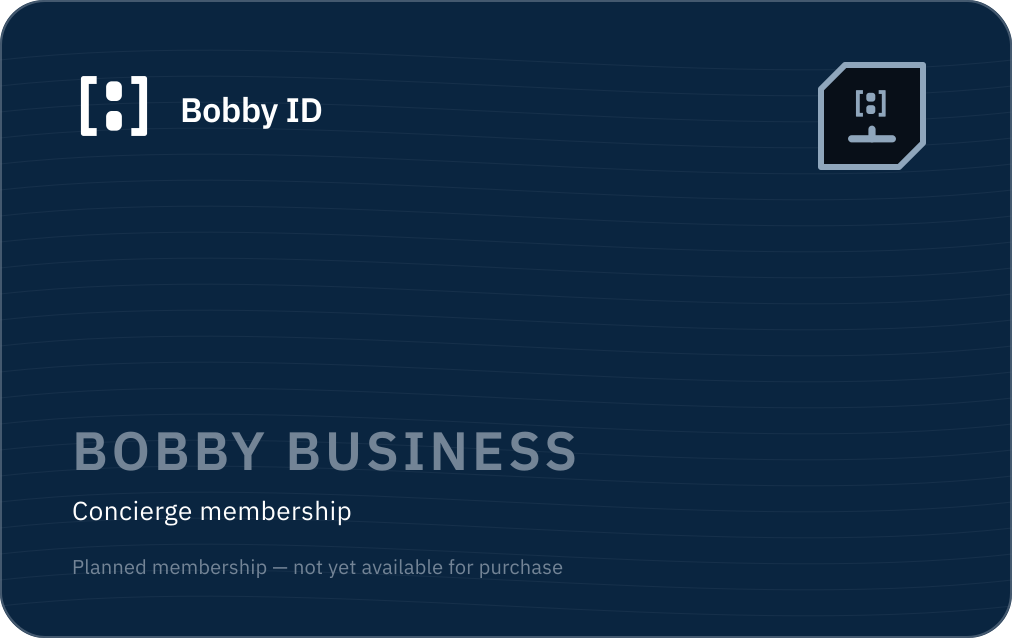
Bobby Business card concept
Bobby business membership card concept — planned, not a payment instrument
Used in: Profiles, avatars, Bobby ID Card, membership pages, community emoji
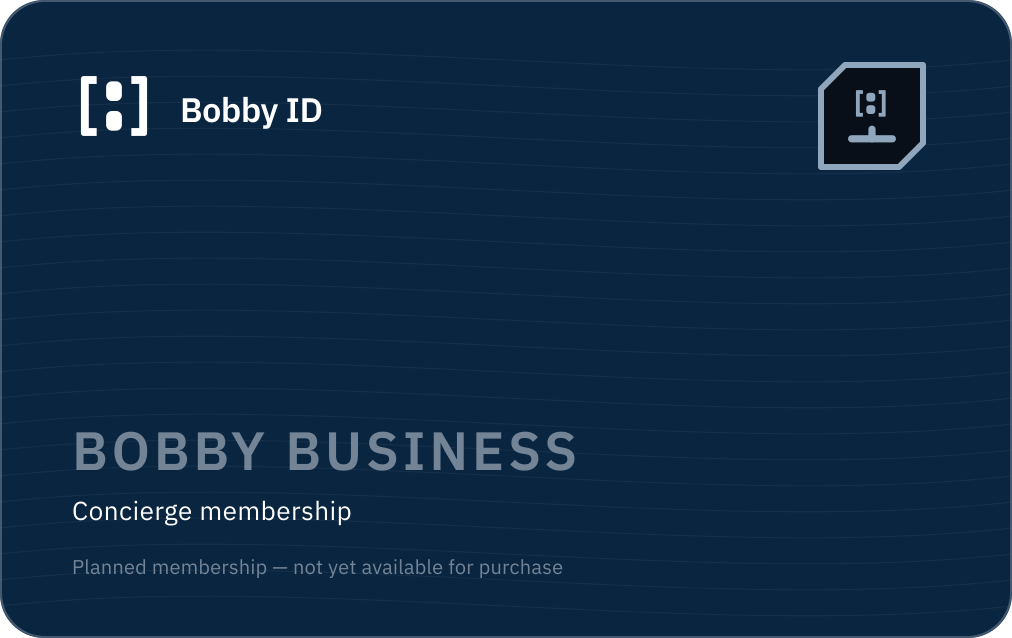
PNG · Own background · 1012×638 · 84 KB
https://bobbyid.com/images/bobby-id-member-business-card-field-1012.png
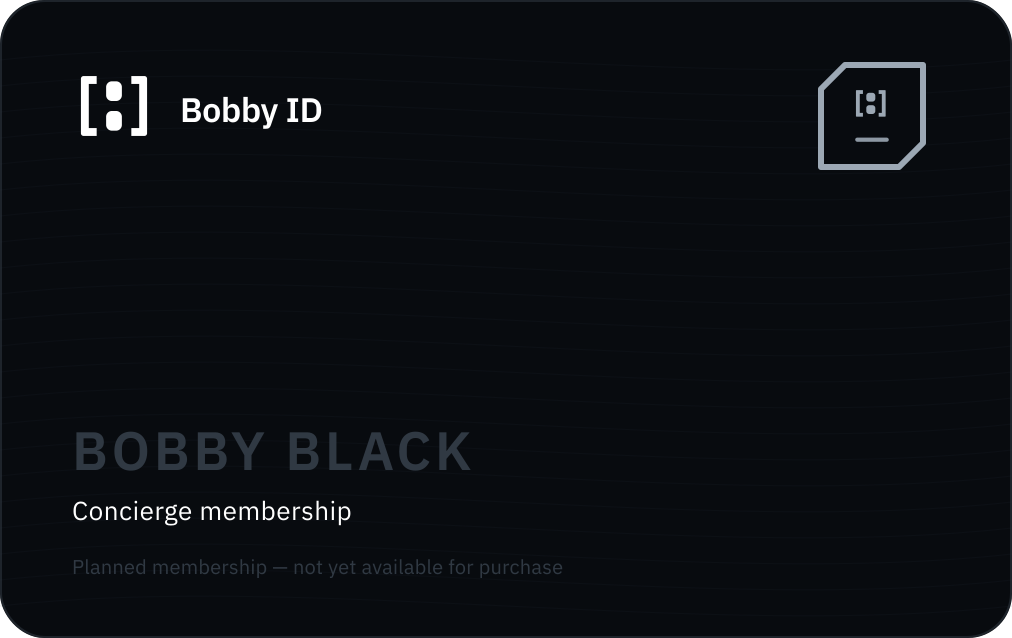
Bobby Black card concept
Bobby black membership card concept — planned, not a payment instrument
Used in: Profiles, avatars, Bobby ID Card, membership pages, community emoji
PNG · Own background · 1012×638 · 69 KB
https://bobbyid.com/images/bobby-id-member-black-card-field-1012.png
Membership badge rules
- Every membership surface is labelled as planned and not yet available for purchase.
- Status memberships use the notched medallion; concierge memberships use the cut-corner service plate. The two silhouettes never swap.
- Rank is countable: Silver one bar, Gold two, Platinum three. Colour is never the only difference.
- No membership asset may contain a check stroke, the passport arch, or the word “verified”.
- Membership cards are identity objects, not payment instruments: no numerals, no chip, no network logo, no magnetic stripe.
- Membership never changes what a profile claims about a person — only what the account has bought.
Holding more than one membership
- An account may hold at most one status membership and any number of concierge memberships.
- Exactly one membership badge is displayed at a time: the highest-ranked held membership (Black, then Business, then Travel, then Platinum, Gold, Silver).
- Additional memberships are listed as text in the account, never stacked as badges on an avatar.
- On any surface, at most one verification badge and at most one membership badge are shown.
- Verification always takes visual precedence: if space allows only one badge, the verification badge is shown.
- Compact surfaces (lists, comments, mentions) show verification only; membership appears on profile and account surfaces.
Custom emoji system
Custom membership emoji for chat, community and support surfaces, drawn from the emblem and simplified for 16–20px legibility.
- Emoji artwork exists only for memberships. There is no verification emoji — assurance is never reduced to a reaction.
- Heavier rim, no inner hairline, no element below three pixels at 16px.
- Emoji are decorative shorthand and never a source of truth for entitlement.
- Never combined with a check, tick or shield.
Avatar placement







- Verification badge: lower right, 32% of avatar width, on a knock-out disc in the surface colour.
- Membership badge: upper right, 32% of avatar width, on its own knock-out disc.
- Membership frame ring: a single ring in the membership metal. Never a stack of rings, never animated, never a glow.
- The frame ring is decoration only; it never substitutes for the membership badge or implies verification.
- A verification-only avatar keeps the upper-right corner empty; a membership-only avatar keeps the lower-right corner empty.
14
Bobby Black and Founding Black Member
Invitation only, never publicly purchasable, and never a form of verification.
Invitation model
- Bobby Black is invitation-only and is never presented with a public price, a buy button or a self-service upgrade path.
- Invitations are issued by Bobby ID and are personal, non-transferable and revocable.
- Marketing never implies that spending, verification level or referrals earn an invitation.
- Declined and expired invitations leave no visible trace on a profile.
- Bobby Black confers no verification and no additional identity assurance whatsoever.
Founding Black Member

A modifier applied to an existing Bobby Black membership for the founding cohort. It is not a seventh membership, not a rank above Black, and not a verification level.
- Always rendered as a separate modifier ribbon beside the Bobby Black badge, never merged into it.
- Retired permanently once the founding cohort closes; existing holders keep it, no new grants are issued.
- Lost automatically if the underlying Bobby Black membership ends.
- Never uses the check stroke, the arch, or any verification language.
15
Bobby ID and BobbyTravel.com boundary
Bobby ID sells and holds the entitlement. BobbyTravel.com delivers the service.
Bobby ID owns
- Owns identity, verification levels, membership catalogue, billing, entitlements and the badge system.
- Sells memberships and records what an account is entitled to.
- Exposes entitlements to other Bobby platforms through an authorised API.
BobbyTravel.com owns
- Owns travel and concierge service delivery, itineraries, bookings, supplier relationships and travel support.
- Consumes Bobby ID entitlements; it never issues, upgrades or revokes them.
- Bills travel services separately from the Bobby ID membership fee.
Never crossed
- Bobby ID never publishes travel inventory, prices, availability, itineraries or booking flows.
- BobbyTravel.com never issues verification badges or membership badges.
- A Bobby ID membership fee is never described as including a travel booking.
Commercial limitation
A Bobby Travel membership buys access to a concierge service relationship. It does not include travel products, flights, hotels, transfers or any third-party supplier cost, and it is not a travel agency contract, a package travel arrangement or any form of insurance.
16
Admin, API and MCP readiness
Design-level requirements only. No entitlement system is being built in this phase.
Administrative model
- Every verification level and membership is a server-side entitlement record with an issuer, an evidence reference, a granted timestamp, an expiry and a revocation reason.
- Badges are rendered from entitlements at read time; no badge state is ever stored on a profile row or trusted from the client.
- Verification grants are only ever written by the verification pipeline; membership grants are only ever written by the billing pipeline. Neither may write into the other's table.
- Every grant, renewal, downgrade and revocation is written to an append-only audit log with the acting administrator.
- Administrative override requires an explicit reason and is itself audited; it can never fabricate a verification level from a payment event.
API and MCP model
- A future read API exposes verification level and membership as separate, independently-scoped fields — never a single merged “status”.
- Scopes are separated: reading assurance and reading commercial entitlement are distinct permissions with distinct consent copy.
- Responses carry the level identifier, the label, the tooltip text and the accessible label so consumers cannot invent their own wording.
- A future MCP surface exposes the same fields read-only, with no tool able to grant, upgrade or revoke anything.
- Badge artwork is served only from the canonical Bobby ID image layer so third parties cannot substitute their own artwork.
Current scope restrictions
- This is a design and governance system only. No entitlement tables, billing, checkout, invitation flow or verification pipeline is being built in this phase.
- No membership is available for purchase and no price shown here is an offer.
- No verification level can currently be granted in the product.
- Legal, regulatory and consumer-law review of all verification and membership claims remains outstanding and is listed in the limitations register.
17
Avatar and profile identity
Five avatar kinds, circular or rounded square, light or dark.






anonymous · circle
anonymous avatar placeholder — circle, light
Used in: Default profile imagery across product surfaces

PNG · Own background · 192×192 · 7 KB
https://bobbyid.com/images/bobby-id-avatar-anonymous-circle-light-field-192.png

anonymous · rounded
anonymous avatar placeholder — rounded, light
Used in: Default profile imagery across product surfaces

PNG · Own background · 192×192 · 4 KB
https://bobbyid.com/images/bobby-id-avatar-anonymous-rounded-light-field-192.png
initials · circle
initials avatar placeholder — circle, light
Used in: Default profile imagery across product surfaces

PNG · Own background · 192×192 · 6 KB
https://bobbyid.com/images/bobby-id-avatar-initials-circle-light-field-192.png

initials · rounded
initials avatar placeholder — rounded, light
Used in: Default profile imagery across product surfaces

PNG · Own background · 192×192 · 4 KB
https://bobbyid.com/images/bobby-id-avatar-initials-rounded-light-field-192.png
no-photo · circle
no photo avatar placeholder — circle, light
Used in: Default profile imagery across product surfaces

PNG · Own background · 192×192 · 7 KB
https://bobbyid.com/images/bobby-id-avatar-no-photo-circle-light-field-192.png

no-photo · rounded
no photo avatar placeholder — rounded, light
Used in: Default profile imagery across product surfaces

PNG · Own background · 192×192 · 5 KB
https://bobbyid.com/images/bobby-id-avatar-no-photo-rounded-light-field-192.png
verified · circle
verified avatar placeholder — circle, light
Used in: Default profile imagery across product surfaces

PNG · Own background · 192×192 · 8 KB
https://bobbyid.com/images/bobby-id-avatar-verified-circle-light-field-192.png
verified · rounded
verified avatar placeholder — rounded, light
Used in: Default profile imagery across product surfaces

PNG · Own background · 192×192 · 6 KB
https://bobbyid.com/images/bobby-id-avatar-verified-rounded-light-field-192.png
organization · circle
organization avatar placeholder — circle, light
Used in: Default profile imagery across product surfaces

PNG · Own background · 192×192 · 5 KB
https://bobbyid.com/images/bobby-id-avatar-organization-circle-light-field-192.png

organization · rounded
organization avatar placeholder — rounded, light
Used in: Default profile imagery across product surfaces

PNG · Own background · 192×192 · 3 KB
https://bobbyid.com/images/bobby-id-avatar-organization-rounded-light-field-192.png
Definitions
- Anonymous placeholder
- Neutral silhouette at 35% ink on Pale Security Blue. Used before any profile data exists.
- Initials avatar
- One or two initials, IBM Plex Sans SemiBold, Deep Navy on Pale Security Blue.
- No-photo account
- Same silhouette at 55% ink — a real account that simply has no picture.
- Verified profile
- Initials or photo plus the Identity verified hexagon at the lower-right, on its own knock-out disc.
- Organization placeholder
- Outlined rounded rectangle. Reserved for future organisation accounts; not in use yet.
Rules
- Circular and rounded-square presentations are both official; one presentation per surface.
- Photographs are centre-cropped to a square; the face must sit inside the central 80% safe area.
- The verification badge occupies 32% of the avatar width at the lower-right, with a 2px knock-out ring in the surface colour.
- A ring, glow or border is never the only indicator of assurance — the badge shape and the text label carry it.
- Alt text describes the person or account, never the assurance state: 'Profile picture of Sam Rivers', with verification exposed as text.
18
OAuth consent presentation
How a Bobby ID consent screen must look once it exists. No consent flow is built yet.
Continue to Example Shop
Example Shop is asking to receive:
- Your name
- Your email address
- Confirmation that you are over 18
Once you approve, the details above are shared with Example Shop. You can review and withdraw this approval in your Bobby ID account.
Consent rules
- Name the relying party before the request, in plain language.
- List every scope as a human sentence, never as a technical scope string.
- The decline option is as visible and as easy to press as the approve option.
- Never pre-tick optional disclosures.
- State plainly that approved data is shared with the relying party — do not imply it stays inside Bobby ID.
- Show the assurance level that the request actually requires, and nothing higher.
19
Digital interface examples
Surface patterns that carry the credential register into the product.
Account identity card
Sam Rivers
BID-2F7A-91C4
Relying-party sign-in block
Sign in to Example Shop
You choose what Example Shop receives.
20
App icons and favicons
Deep Navy field, white A1.2 beeldmerk, flat colour, no gradient, no border. Every size is rendered from the master vector, not scaled from 512px.











PNG · Own background · 1024×1024 · 23 KB
https://bobbyid.com/images/bobby-id-app-icon-dark-field-1024.png

Light-field application icon
Application icon on a light field for light-mode platforms
Used in: Installed app icon, PWA manifest, browser chrome, platform tiles

PNG · Own background · 1024×1024 · 23 KB
https://bobbyid.com/images/bobby-id-app-icon-light-field-1024.png

Identity Blue application icon
Application icon on the Identity Blue field
Used in: Installed app icon, PWA manifest, browser chrome, platform tiles

PNG · Own background · 1024×1024 · 23 KB
https://bobbyid.com/images/bobby-id-app-icon-identity-blue-field-1024.png

Maskable PWA icon (20% safe zone)
PWA maskable icon with the required 20% safe-zone padding
Used in: Installed app icon, PWA manifest, browser chrome, platform tiles

PNG · Own background · 512×512 · 4 KB
https://bobbyid.com/images/bobby-id-app-icon-maskable-field-512.png

Monochrome platform icon
Monochrome PWA icon for tinted platform surfaces
Used in: Installed app icon, PWA manifest, browser chrome, platform tiles

PNG · Transparent · 512×512 · 5 KB
https://bobbyid.com/images/bobby-id-app-icon-monochrome-transparent-512.png

Favicon (A1.2 cutdown)
Small-size favicon using the A1.2 cutdown
Used in: Installed app icon, PWA manifest, browser chrome, platform tiles

PNG · Transparent · 48×48 · 803 B
https://bobbyid.com/images/bobby-id-favicon-small-transparent-48.png

Favicon for dark browser chrome
Small-size favicon for dark browser chrome
Used in: Installed app icon, PWA manifest, browser chrome, platform tiles

PNG · Dark field · 48×48 · 781 B
https://bobbyid.com/images/bobby-id-favicon-small-dark-black-48.png
favicon.ico
Multi-resolution ICO containing 16, 32, 48 and 64 pixel renders from the A1.2 master.
ICO · Transparent · 64×64 · 15 KB
https://bobbyid.com/images/bobby-id-favicon.ico
22
Tone of voice, privacy and verification wording
Tone
- Plain
- Short sentences. Everyday words. No security theatre.
- Precise
- Say what was verified, when, and by what means — never 'trusted'.
- Calm
- No urgency, no scare tactics, no countdowns.
- Non-coercive
- Consent language offers a real choice, including declining.
- Accountable
- Every claim on a surface must be true of the current product.
Photography and illustration
- Prefer diagram, document and interface imagery over stock photography.
- If people appear, show ordinary people in ordinary settings — never handcuffs, hoodies, padlocks, glowing shields or matrix code.
- No biometric close-ups, iris scans, fingerprints or facial-recognition overlays.
- Illustration is flat, two-tone (Deep Navy plus one cyan), hairline-weight, no gradients.
- Never illustrate a government document, passport page or ID card that could be mistaken for a real one.
Privacy and verification wording
- Say “verified on 23 August 2026 using a document check”, not “trusted user”.
- Say “Example Shop will receive your name and email address”, not “we keep your data safe”.
- Say “you can withdraw this approval”, and make that true before shipping the sentence.
- Never describe verification as permanent, absolute or fraud-proof.
- Never imply Bobby ID vouches for a person's conduct.
23
Bobby ID Card, QR verification and verifier
Concept design and architecture preparation only. No live presentation route, QR backend, verifier console or entrance record is implemented. All data shown is fictional.
What the card is
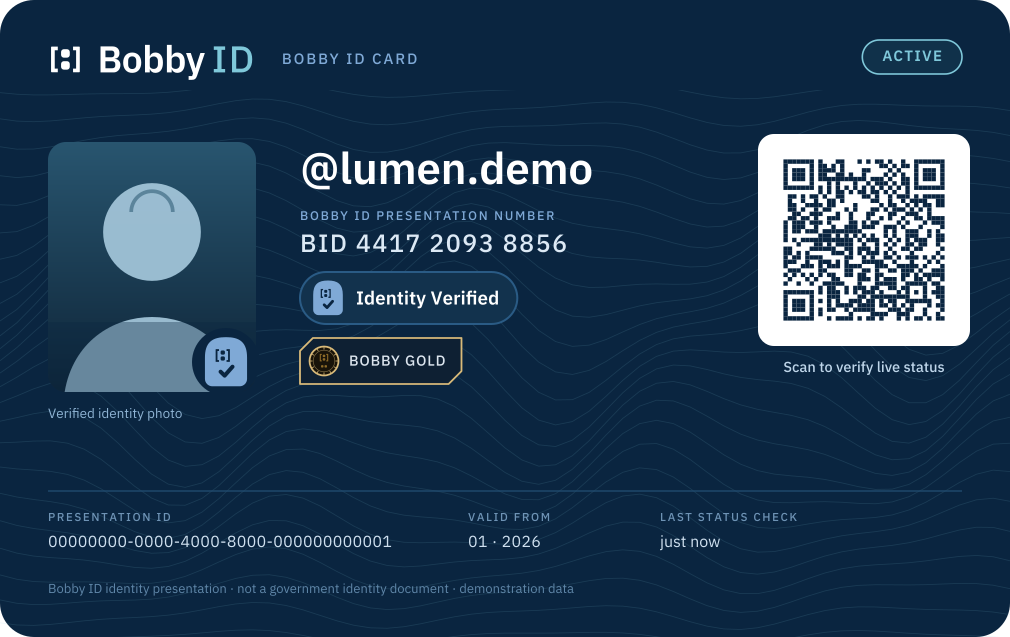
- A Bobby ID Card is a presentation of a Bobby ID. It is never a government identity document, passport, driving licence, payment card, travel document or event ticket.
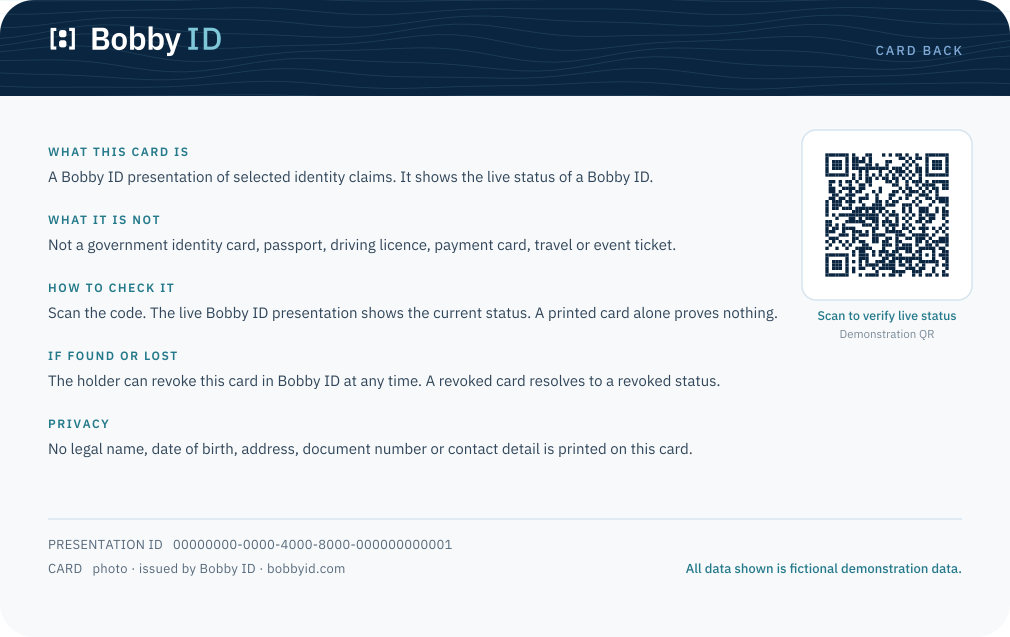
- The printed or stored card proves nothing on its own. Only the live Bobby ID presentation, reached by scanning the code, shows current status.
- The card shows the minimum needed to recognise the holder: handle, avatar or verified photo, verification level and — where the holder allows it — membership.
- No legal name, date of birth, address, document number, email address or telephone number is ever printed on a Bobby ID Card.
- Verification and membership keep their canonical separation on the card exactly as they do everywhere else: arch family lower right, membership upper right.
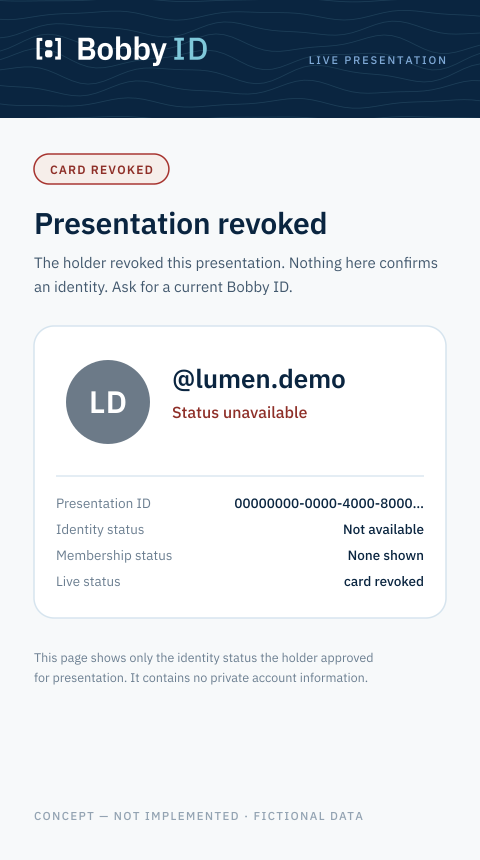
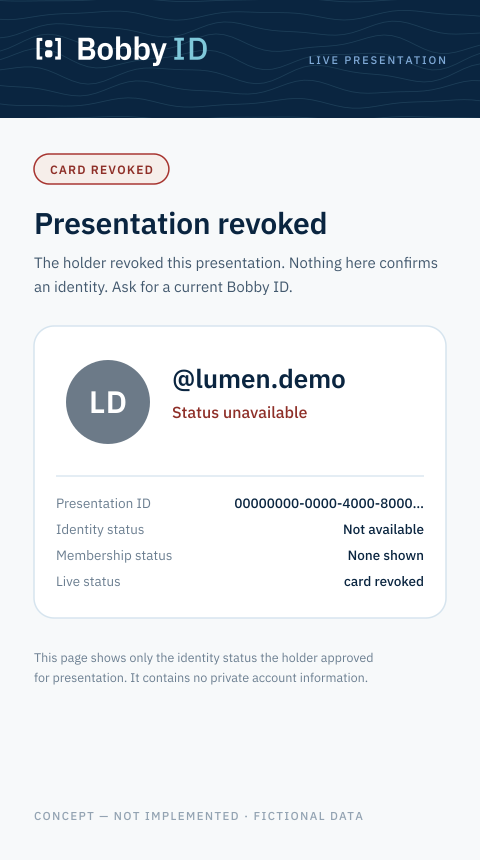
- The holder can revoke a card at any time. A revoked card resolves to a revoked live presentation, never to a blank or ambiguous page.
Information disclosure
- Handle
- Always shown. It is the public identifier of a Bobby ID.
- Avatar or verified photo
- Photo only on a V3 card; otherwise the avatar, labelled as not a verified photo.
- Verification level
- Exactly one level is shown, with its own wording. Never merged with membership.
- Membership
- Shown only when the holder chooses to show it, and never described as verification.
- Presentation ID
- An opaque identifier for this presentation only. It is not an account ID and cannot be enumerated.
- Presentation number
- A human-readable grouping of the same opaque identifier, for reading aloud at a desk.
- Live status
- Never printed as a fact. The card states when the status was last checked and points to the live presentation.
- Legal name
- Never shown on any card variant.
- Date of birth
- Never shown. Age assurance is expressed as a threshold badge only.
- Address, document number, contact detail
- Never shown, never encoded in the QR, never returned by the live presentation.
QR destination and design
- The QR encodes one opaque presentation URL and nothing else — no personal data, no membership, no verification claim, no signed assertion the reader could misread.
- Presentation identifiers are random and opaque. Sequential or guessable identifiers are forbidden because they would allow enumeration of Bobby IDs.
- Every demonstration asset encodes a reserved demonstration destination. No concept asset points at a live Bobby ID.
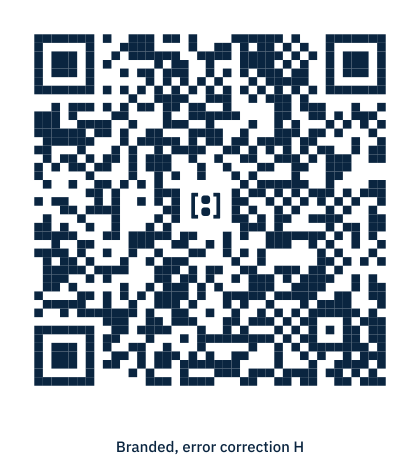
- The branded QR reserves a centred clear area for the A1.2 beeldmerk and uses the error-correction budget that reserve consumes; the code is validated after generation.
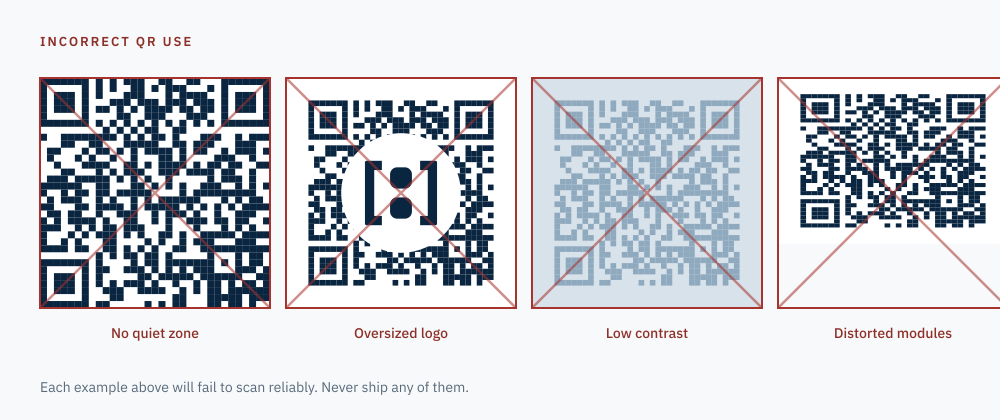
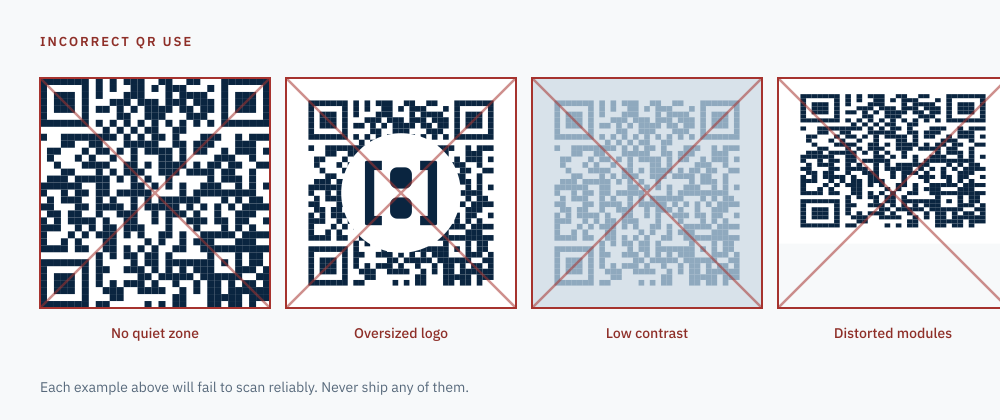
- Minimum printed module size and a four-module quiet zone are mandatory. The incorrect-use reference shows what is rejected: cropped quiet zone, low contrast, stretched modules, decorated modules.
- A scan is a read. Scanning never grants, upgrades, extends or revokes anything.
Print production
- Format
- ID-1, 85.60 × 53.98 mm
- Bleed
- 3 mm on all sides
- Safe zone
- 4 mm inside the trim
- Corner radius
- 3.18 mm
- QR minimum
- 18 mm with a four-module quiet zone
- Colour
- P3 Digital Passport Blue; Security Cyan for non-text graphics only
Live presentation — /id/{presentation_guid}
- Active — The presentation is current and the stated assurance holds.
- Expired — The presentation lapsed. Nothing here confirms an identity today.
- Revoked — The holder withdrew this presentation. Ask for a current Bobby ID.
- Suspended — Bobby ID suspended the presentation pending review.
Verifier console — /console/id-verifier
- Results are distinguished by shape and wording first, colour second, so the console works in bright light and for colour-blind staff.
- The console shows only what the presentation already discloses. It never reveals fields the card withholds.
- Every scan states who is scanning, for which event, which fields are read, what is recorded and how long the record is kept, before the first scan.
- The console registers entrance. It never sells, never issues tickets and never confirms a ticket purchase.
Entrance registration without ticketing
- An entrance record links a presentation, an event, a result, a timestamp and the verifying staff account. It stores no identity fields of its own.
- Entrance registration is not ticketing. Where an event requires a ticket, the ticket remains a separate external requirement and the console says so.
- An event declares the assurance it requires. The console compares, it does not interpret.
- Records are retained for a stated, short period and then deleted. The retention period is shown to the holder before the scan.
Current scope restrictions
- The live presentation route, QR verification backend, verifier console, entrance records and scanner are NOT implemented in this phase.
- No presentation identifier in any asset resolves to a real Bobby ID; every destination is a reserved demonstration address.
- All names, handles, numbers, events and organisers shown are fictional demonstration data.
- Legal, privacy and event-regulation review of entrance verification remains outstanding and is listed in the limitations register.
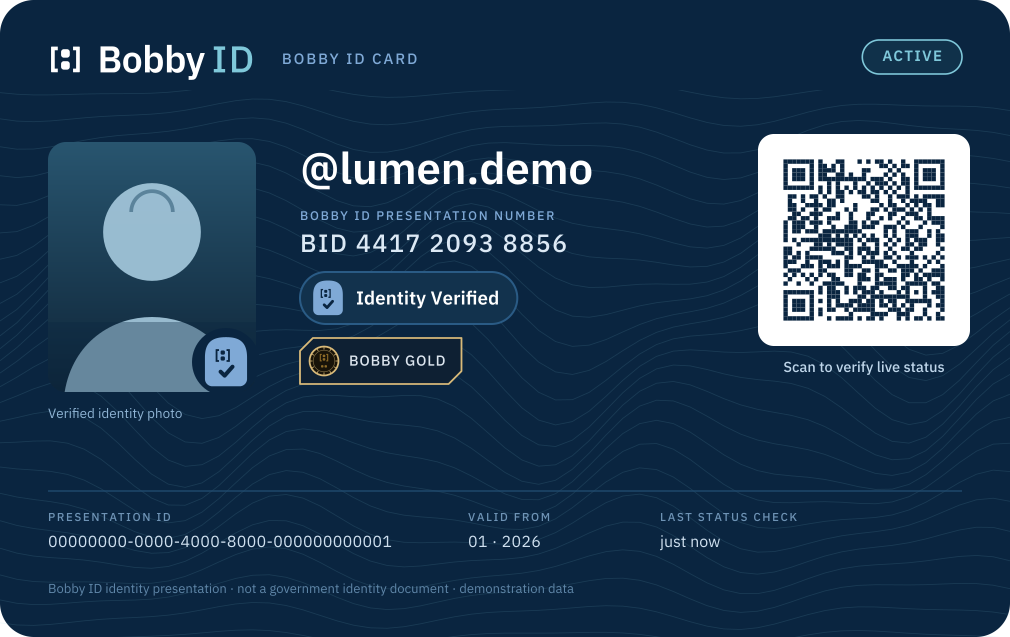
card photo front
Bobby ID Card — photo card, front — concept artwork, fictional demonstration data
Used in: Bobby ID Card concepts and live presentation concepts (not implemented)
PNG · Own background · 1010×637 · 192 KB
https://bobbyid.com/images/bobby-id-card-photo-front-field-1010.png
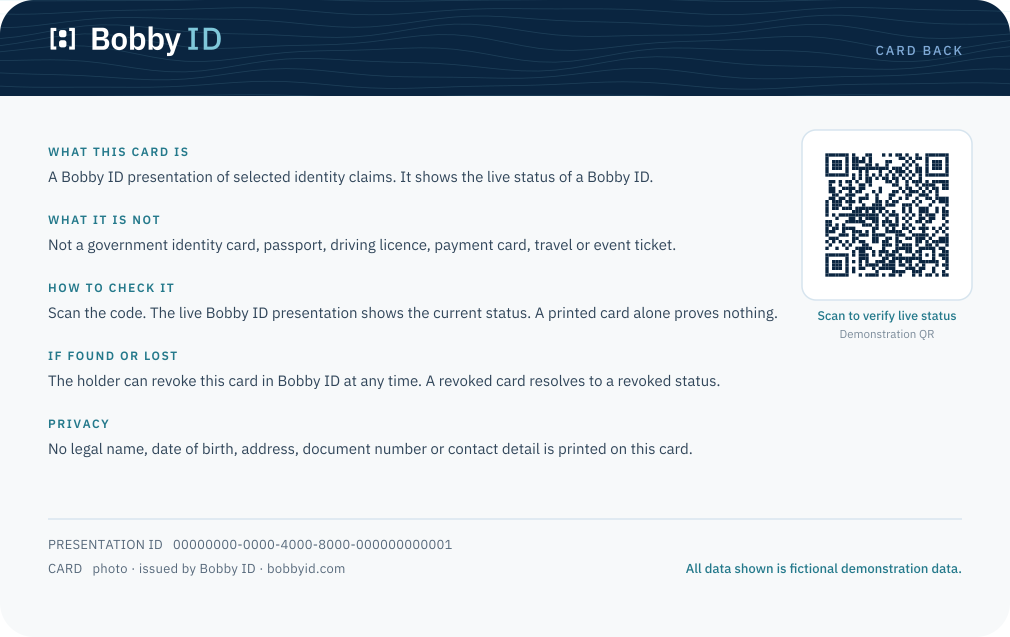
card photo back
Bobby ID Card — photo card, back — concept artwork, fictional demonstration data
Used in: Bobby ID Card concepts and live presentation concepts (not implemented)
PNG · Own background · 1010×637 · 128 KB
https://bobbyid.com/images/bobby-id-card-photo-back-field-1010.png
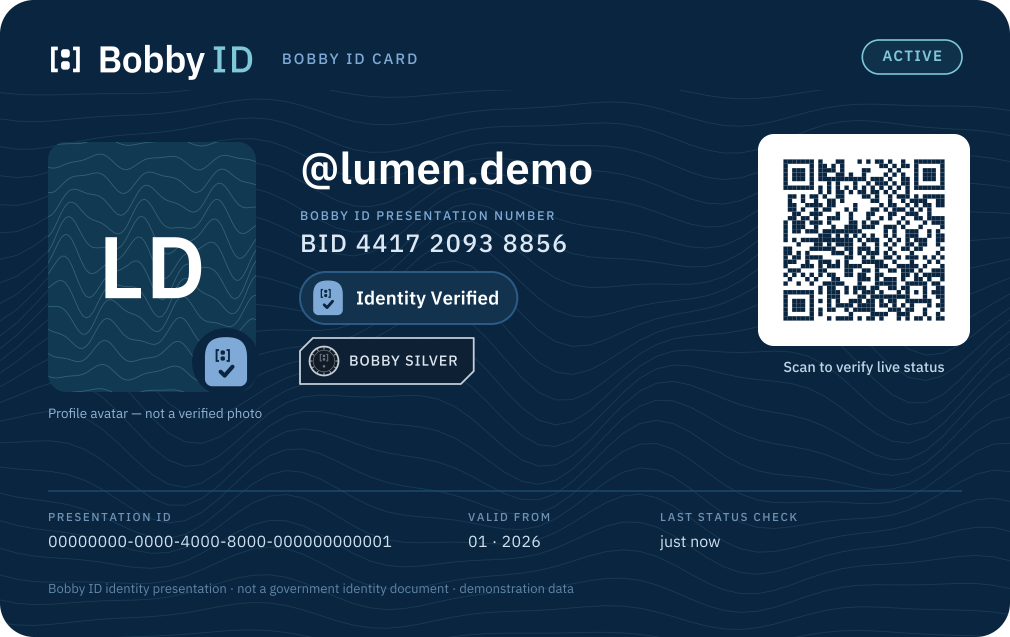
card avatar front
Bobby ID Card — avatar (non-photo) card, front — concept artwork, fictional demonstration data
Used in: Bobby ID Card concepts and live presentation concepts (not implemented)
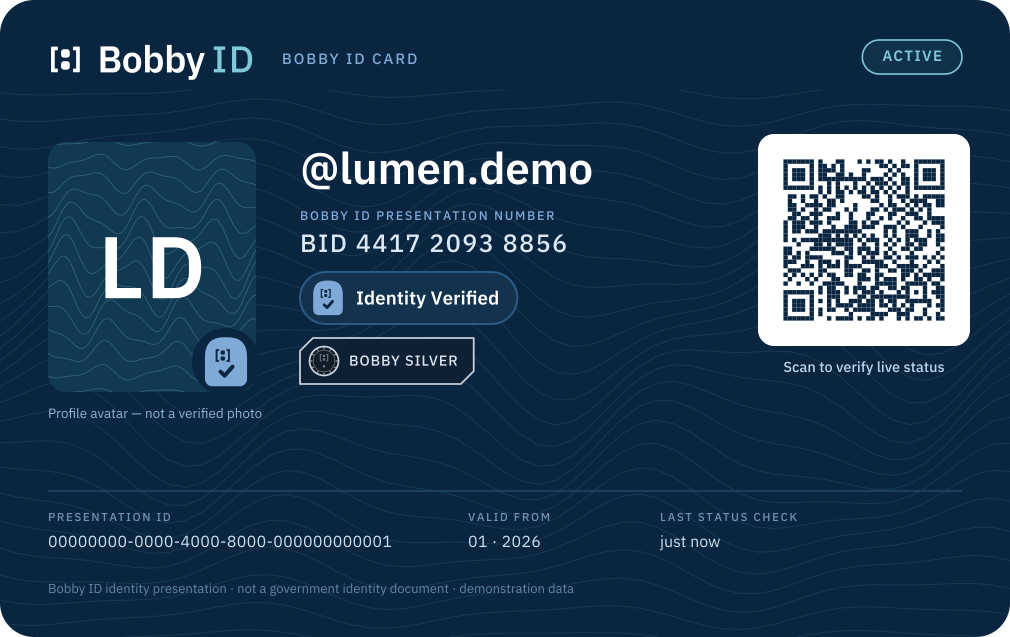
PNG · Own background · 1010×637 · 215 KB
https://bobbyid.com/images/bobby-id-card-avatar-front-field-1010.png
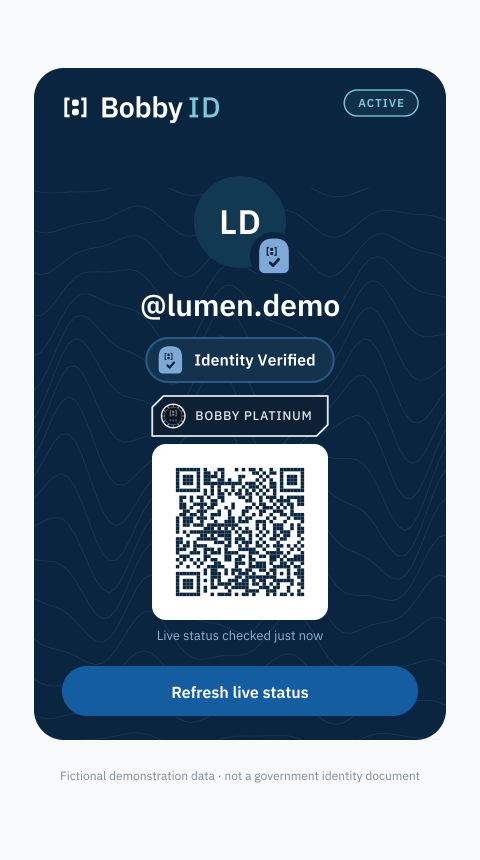
card minimal digital
Bobby ID Card — minimal digital presentation — concept artwork, fictional demonstration data
Used in: Bobby ID Card concepts and live presentation concepts (not implemented)
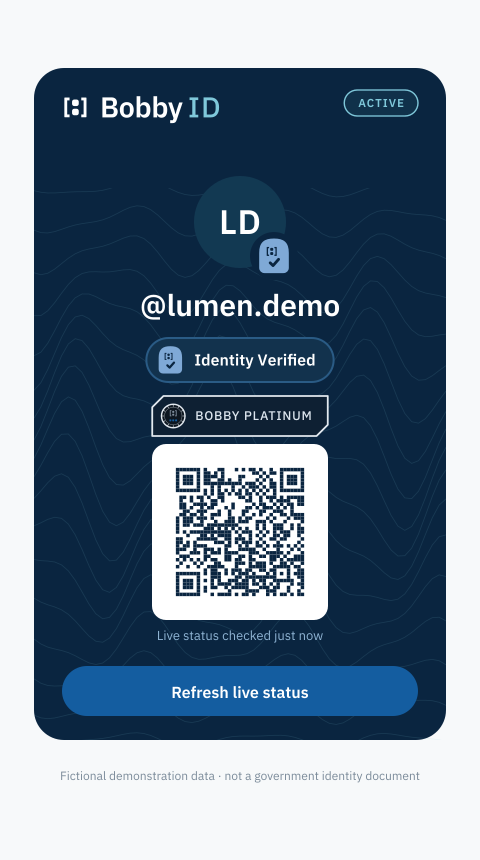
PNG · Own background · 480×860 · 90 KB
https://bobbyid.com/images/bobby-id-card-minimal-digital-field-480.png
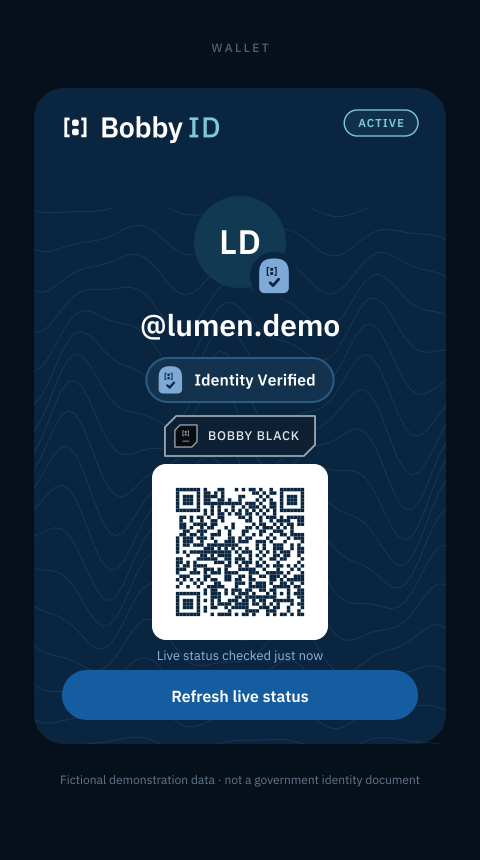
card wallet style
Bobby ID Card — wallet-style digital presentation — concept artwork, fictional demonstration data
Used in: Bobby ID Card concepts and live presentation concepts (not implemented)
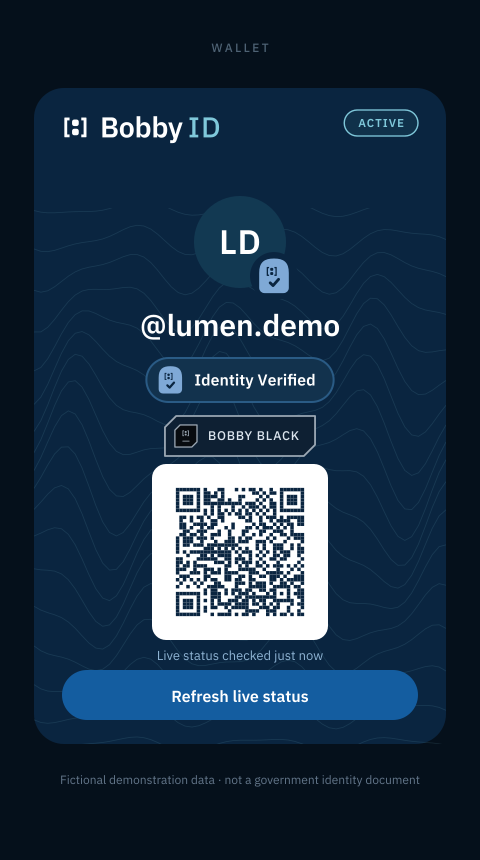
PNG · Own background · 480×860 · 89 KB
https://bobbyid.com/images/bobby-id-card-wallet-style-field-480.png
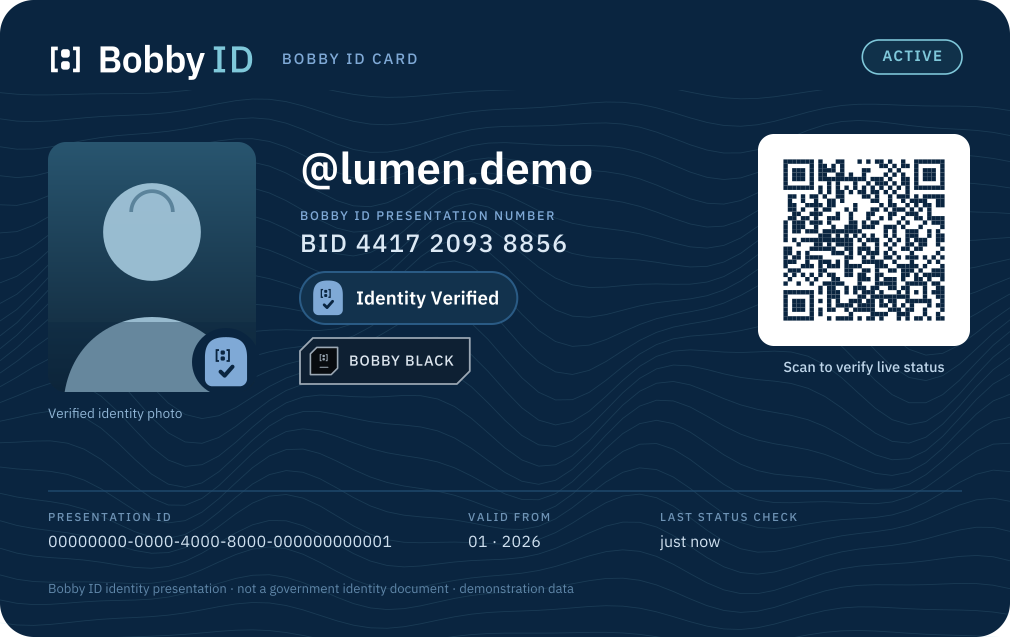
card membership black
Bobby ID Card — Bobby Black enhancement (planned, invitation only) — concept artwork, fictional demonstration data
Used in: Bobby ID Card concepts and live presentation concepts (not implemented)
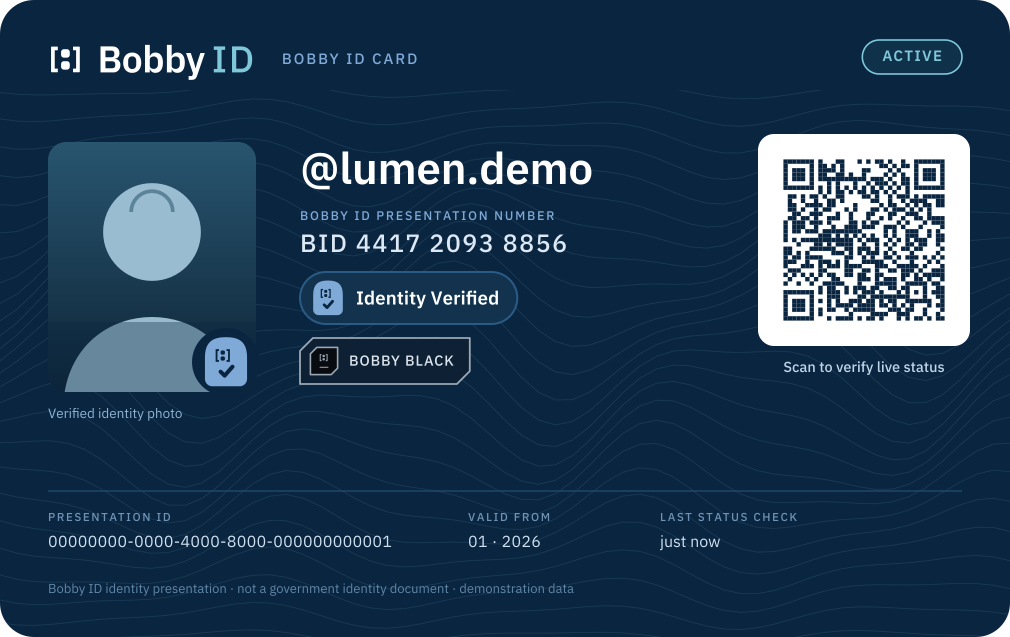
PNG · Own background · 1010×637 · 190 KB
https://bobbyid.com/images/bobby-id-card-membership-black-field-1010.png
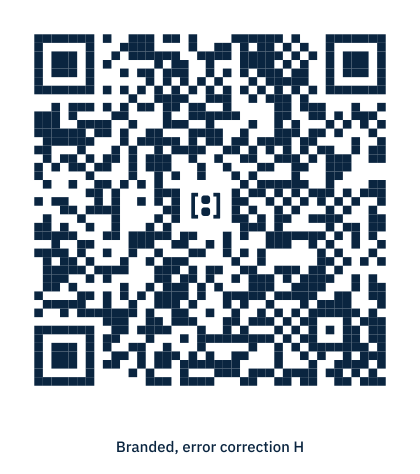
qr branded
Bobby ID verification QR — branded with centred beeldmerk — resolves to a reserved demonstration destination only
Used in: Bobby ID Card and live presentation QR concepts (not implemented)
PNG · Own background · 420×474 · 20 KB
https://bobbyid.com/images/bobby-id-qr-branded-field-420.png
qr incorrect use
Bobby ID verification QR — incorrect use reference — resolves to a reserved demonstration destination only
Used in: Bobby ID Card and live presentation QR concepts (not implemented)
PNG · Own background · 1000×420 · 79 KB
https://bobbyid.com/images/bobby-id-qr-incorrect-use-field-1000.png
card live presentation revoked
Live Bobby ID presentation concept — revoked — concept artwork, fictional demonstration data
Used in: Bobby ID Card concepts and live presentation concepts (not implemented)
PNG · Own background · 480×860 · 78 KB
https://bobbyid.com/images/bobby-id-card-live-presentation-revoked-field-480.png
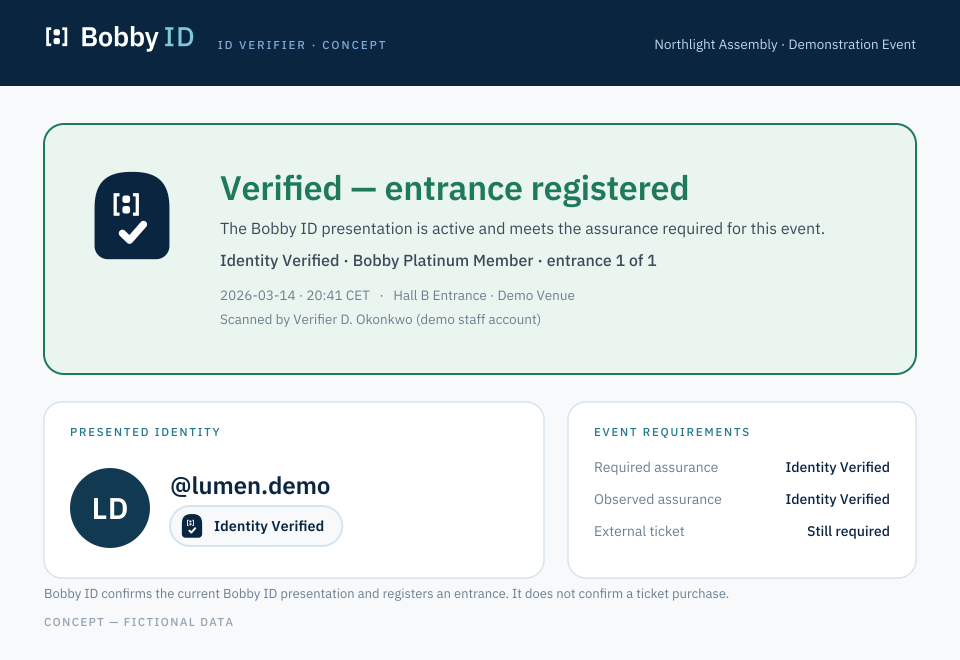
verifier success screen
Bobby ID Verifier console concept — verified result — concept only, not implemented
Used in: Entrance verification console concepts (not implemented)
PNG · Own background · 960×660 · 94 KB
https://bobbyid.com/images/bobby-id-verifier-success-screen-field-960.png
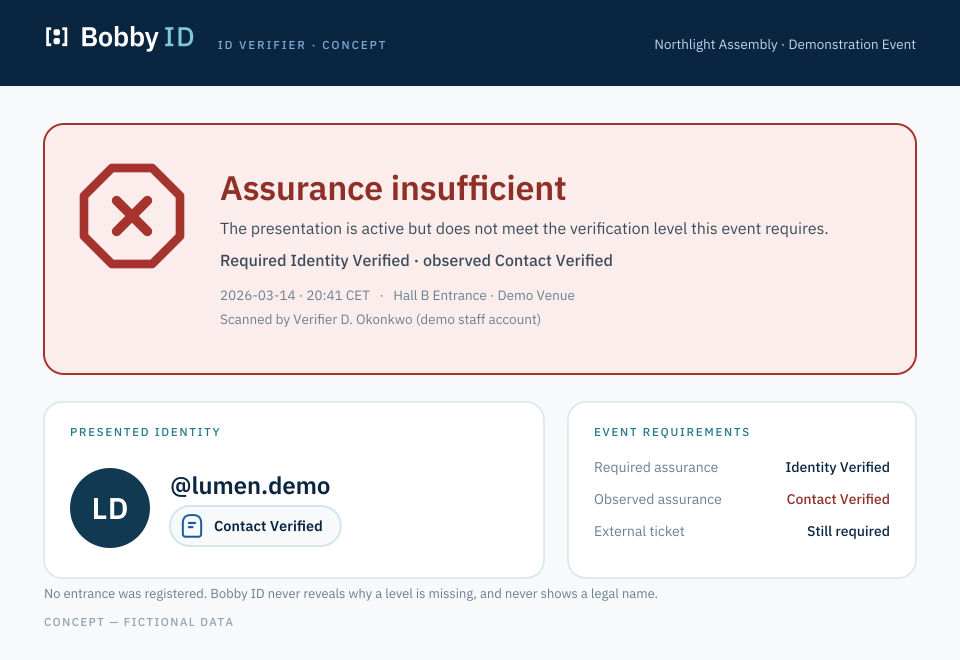
verifier rejected screen
Bobby ID Verifier console concept — rejected result — concept only, not implemented
Used in: Entrance verification console concepts (not implemented)
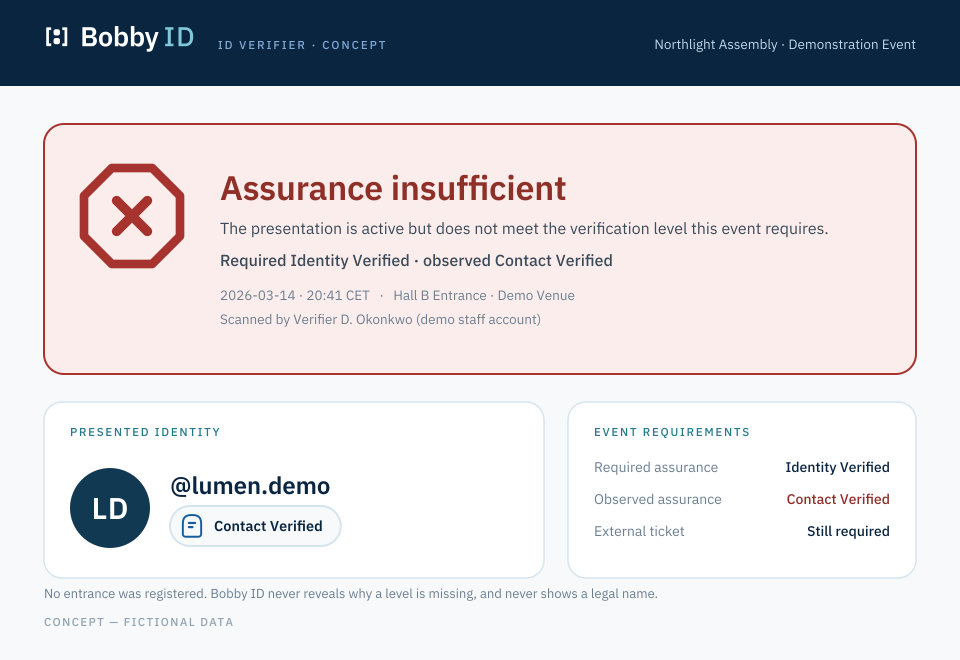
PNG · Own background · 960×660 · 90 KB
https://bobbyid.com/images/bobby-id-verifier-rejected-screen-field-960.png
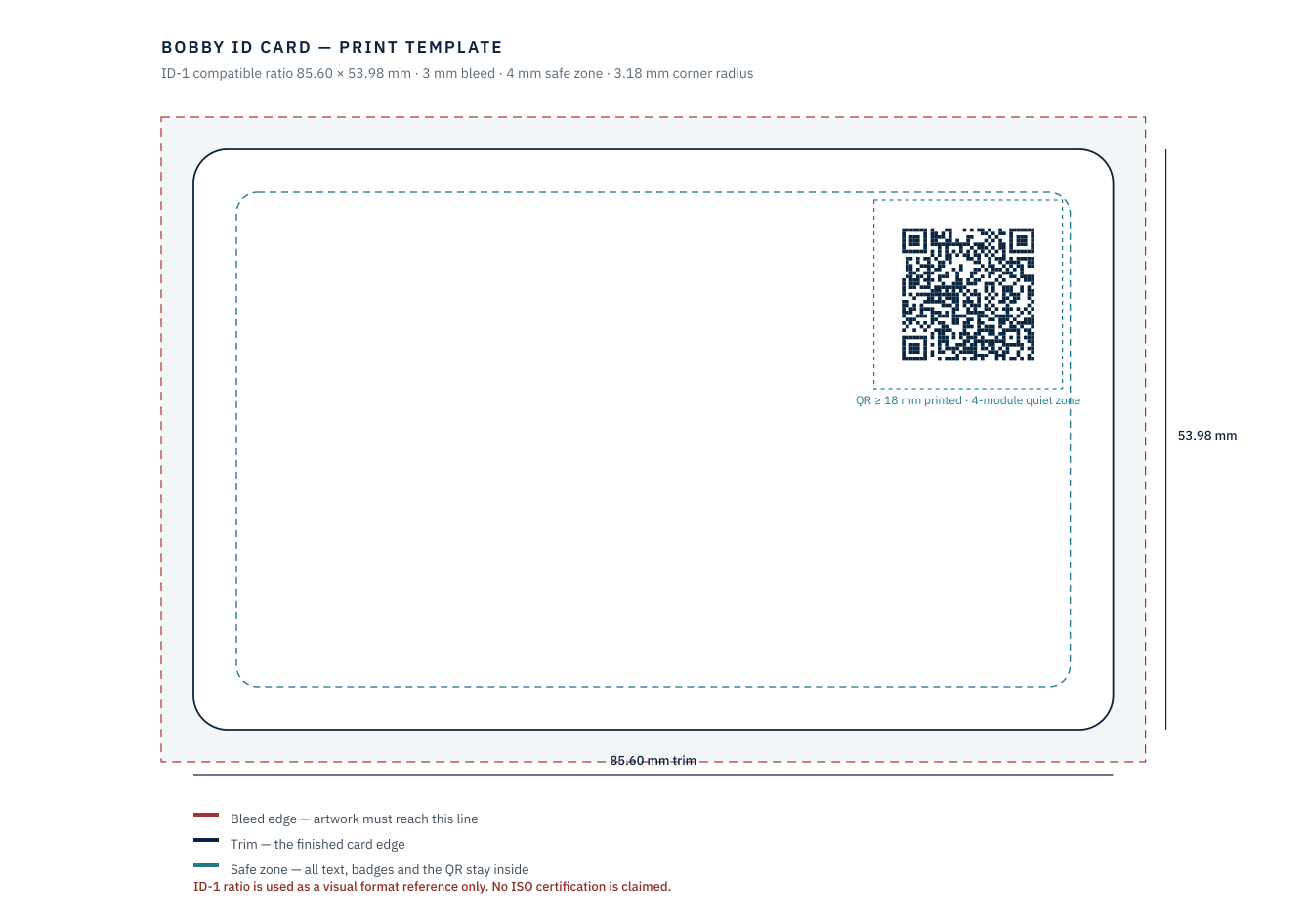
card print template
Bobby ID Card — print production template with bleed, trim and safe zone — concept artwork, fictional demonstration data
Used in: Bobby ID Card concepts and live presentation concepts (not implemented)
PNG · Own background · 1338×946 · 69 KB
https://bobbyid.com/images/bobby-id-card-print-template-field-1338.png
Open the full Bobby ID Card, live presentation and verifier concept board
23
Incorrect usage
- Do not recolour the mark outside the P3 palette.
- Do not add gradients, bevels, glows, shadows or outlines.
- Do not rotate, skew, stretch or condense.
- Do not redraw, re-space or separate the brackets from the counters.
- Do not place the counters inside another container shape.
- Do not enclose the mark in a circle, seal, shield or crest.
- Do not use A1.1 below 64px or A1.2 above 48px.
- Do not set the mark on a photograph without a solid or heavily flattened field.
- Do not pair the wordmark with a non-approved typeface.
- Do not place the guilloché pattern inside or directly behind the mark.
Light and dark use
On light fields use Deep Navy. On Deep Navy or Identity Blue fields use White. Identity Blue ink is permitted on White and Cool Paper only. Never place Identity Blue ink on Deep Navy (2.30:1).
Monochrome and print
One ink, full black or full white, with all counters preserved. The W3-b wordmark carries the same metrics as W3-a so monochrome and colour lockups never re-flow.
Print from the PDF or SVG masters. Convert RGB to CMYK at the plate stage using the CMYK guidance in the colour system. Pantone references are approximate and must be confirmed against a physical guide. Below 16mm, use the A1.2 cutdown; below 5mm do not print the mark at all.
Accessibility of the mark
The mark is decorative when it appears next to the wordmark: mark it aria-hidden and let the text carry the name. When it stands alone as a link or button, give it an accessible name — Bobby ID — and keep a 3:1 contrast ratio against its field.
24
Asset library
Every published Bobby ID asset, grouped and downloadable. 956 files across 287 asset groups (930 unique stored objects), all served from the governed bobbyid-brand-assets bucket through https://bobbyid.com/images/<friendly-filename>. Registry version 1.0.0.
- logo
- Beeldmerken, wordmarks, lockups, consent header, construction and clear-space diagrams
- icon
- favicon.ico, 16–512px PNG icons, Apple touch icon, PWA and maskable icons, monochrome icon
- button
- Continue with Bobby ID kit — 13 variants and states
- badge
- Four assurance badges in light, dark and monochrome
- avatar
- Five avatar kinds × circular/rounded × light/dark
- pattern
- Guilloché system in eight approved configurations
- social
- Open Graph, profile and cover art, email and press assets
Governance
- One authoritative registry (src/lib/brand-registry.json) drives previews, downloads and /images resolution — nothing on this page hard-codes a storage path.
- Every file carries a SHA-256 checksum verified at upload time; the same checksum is served as the HTTP ETag.
- Filenames follow bobby-id-<asset>-<variant>-<background>-<size>.<extension>, lowercase and hyphenated.
- Standard PNG sizes: 16, 24, 32, 48, 64, 96, 128, 180, 192, 256, 512, 1024. Each asset publishes only the sizes its surface actually uses; anything outside the set is a documented platform, channel or print exception recorded in the registry.
- Backgrounds are produced only where they are visually and technically valid: the artwork's own field for opaque compositions, transparent for marks and icons, and a Deep Navy field only for reversed (white-ink) artwork. A white matte is never generated for transparent artwork — on a white surface it is indistinguishable from the transparent export.
- Identical binaries are stored once and shared; every channel-specific filename keeps its own canonical URL.
- Filenames retired by the Phase 1E rationalization permanently redirect (301) to the closest surviving governed variant, so published URLs never break.
- Download the full asset registry with checksums, size policy and lifecycle state (JSON)
287 of 287 asset groups · 956 files
20
Preliminary visual-collision review
This is a preliminary visual-collision review only. It is not a trademark search, not a legal clearance, and it does not establish that the brand is available or safe to register or use. No registry, class 9/42, domain or app-store search has been performed.
Identity providers — risk Medium
Okta, Auth0, Ping Identity, ForgeRock, Clerk, WorkOS, Stytch, itsme, Yoti
Blue-dominant palettes are near-universal in this category; several use geometric abstract marks. Bobby ID's colour alone does not separate it. Separation currently rests on the bracket construction, the credential register and the single-word Bobby label.
Password managers — risk Low
1Password, Bitwarden, Dashlane, LastPass, Proton Pass
That category leans on locks, shields and keyholes. Bobby ID uses none of those, so structural confusion is unlikely.
Authentication platforms and 2FA — risk Low–Medium
Authy, Duo, Twilio Verify, Google Authenticator
Duo's abstract mark and several checkmark-based marks share the assurance idiom. Bobby ID's badges avoid a bare checkmark as the top state; the hexagon carries the brand glyph instead.
Verification companies — risk Medium
Onfido, Jumio, Veriff, Persona, Sumsub, ID.me
Some use face frames, crop-corner brackets or scan targets. Bobby ID's brackets close along the outer edge as a held container rather than four detached corner ticks — this is the single most important optical difference and must not be softened in future revisions.
Developer tools and bracket-based technology brands — risk Medium–High
Bracket/console marks in API, terminal, CI and IDE tooling
Square brackets are common shorthand for code. At 16px in a crowded tab strip, the mark can still read as punctuation. A1.2's wider counters and thicker stroke reduce but do not remove this.
Government identity schemes — risk Low
National eID and digital identity wallets
No crest, flag, seal, rosette, star ring or civic typography is used, and no wording implies state authority. This distance must be maintained deliberately.
Recommendation
No further optical adjustment is recommended before Phase 2. The two changes that would matter most if a collision emerges are: (a) increasing the counter mass in A1.2 further to move away from punctuation, and (b) introducing a non-blue accent to separate from the identity-provider category. Neither should be attempted without a real trademark search first.
21
Version, governance and approval
Brand system v1.0.0. Governed by BOBBYID-SITE-GOVERNANCE.md (v1.0.0).
Approved decisions
- Master beeldmerk
- A1.1 Balanced Original
- Small-size cutdown
- A1.2 Compact Digital (mandatory ≤48px)
- A1.3
- Rejected and retired — not used anywhere
- Colour wordmark
- W3-a
- Monochrome wordmark
- W3-b
- Colour system
- P3 Digital Passport Blue
- Security Cyan #2A8FA3
- Non-text graphical use only
- Text Cyan #24798B
- Small cyan text on White and Cool Paper only
- Public spelling
- Bobby ID
- Login language
- Continue with Bobby ID
Ownership and approval
Bobby ID brand owner (project owner of record).
Any change to the mark, wordmark, palette, button or badge system requires a written decision record appended to BOBBYID-SITE-GOVERNANCE.md before assets are regenerated.
brand@bobbyid.com (address not yet provisioned — placeholder pending Phase 2 infrastructure).
Known limitations
- No trademark clearance has been performed. Visual review only.
- P3 is the closest of the four explored palettes to generic technology blue; separation depends on the mark and the credential register.
- The brand carries two cyan values with different jobs. Any drift toward treating them as interchangeable breaks accessibility.
- Pantone references are visual approximations and must be confirmed against a physical guide before printing.
- brand@bobbyid.com is a placeholder; no mailbox exists yet.
21
Social and communication assets
Concise positioning only. Never overload an asset with explanatory text.
Open Graph 1200×630
Open Graph / link preview card
Used in: Social profiles, link previews, status page
PNG · Own background · 1200×630 · 148 KB
https://bobbyid.com/images/bobby-id-open-graph-field-1200.png
Generic social share 1200×630
Generic social share card
Used in: Social profiles, link previews, status page
PNG · Own background · 1200×630 · 146 KB
https://bobbyid.com/images/bobby-id-social-share-generic-field-1200.png
X header 1500×500
X profile header
Used in: Social profiles, link previews, status page
PNG · Own background · 1500×500 · 135 KB
https://bobbyid.com/images/bobby-id-x-header-field-1500.png
X avatar
X profile avatar
Used in: Social profiles, link previews, status page
PNG · Own background · 512×512 · 10 KB
https://bobbyid.com/images/bobby-id-x-avatar-field-512.png
LinkedIn cover 1584×396
LinkedIn company cover
Used in: Social profiles, link previews, status page
PNG · Own background · 1584×396 · 119 KB
https://bobbyid.com/images/bobby-id-linkedin-cover-field-1584.png
LinkedIn avatar
LinkedIn company avatar
Used in: Social profiles, link previews, status page
PNG · Own background · 512×512 · 10 KB
https://bobbyid.com/images/bobby-id-linkedin-avatar-field-512.png
Facebook cover
Facebook page cover
Used in: Social profiles, link previews, status page
PNG · Own background · 1640×664 · 167 KB
https://bobbyid.com/images/bobby-id-facebook-cover-field-1640.png
Facebook avatar
Facebook page avatar
Used in: Social profiles, link previews, status page
PNG · Own background · 512×512 · 10 KB
https://bobbyid.com/images/bobby-id-facebook-avatar-field-512.png
YouTube channel art
YouTube channel art
Used in: Social profiles, link previews, status page
PNG · Own background · 2560×1440 · 356 KB
https://bobbyid.com/images/bobby-id-youtube-channel-art-field-2560.png
YouTube avatar
YouTube channel avatar
Used in: Social profiles, link previews, status page
PNG · Own background · 512×512 · 10 KB
https://bobbyid.com/images/bobby-id-youtube-avatar-field-512.png
GitHub organisation avatar
GitHub organisation avatar
Used in: Social profiles, link previews, status page
PNG · Own background · 512×512 · 10 KB
https://bobbyid.com/images/bobby-id-github-avatar-field-512.png
Support avatar
Support agent avatar
Used in: Social profiles, link previews, status page
PNG · Own background · 512×512 · 10 KB
https://bobbyid.com/images/bobby-id-support-avatar-field-512.png
Notification icon
Push and in-product notification icon
Used in: Social profiles, link previews, status page
PNG · Own background · 512×512 · 10 KB
https://bobbyid.com/images/bobby-id-notification-icon-field-512.png
Status page mark
Status page mark
Used in: Social profiles, link previews, status page
PNG · Own background · 512×512 · 10 KB
https://bobbyid.com/images/bobby-id-status-page-mark-field-512.png
Developer docs header
Developer documentation header
Used in: Developer documentation
PNG · Own background · 1600×400 · 118 KB
https://bobbyid.com/images/bobby-id-developer-docs-header-field-1600.png
Transactional email header
Transactional email header
Used in: Transactional and authentication email headers
PNG · Own background · 1200×240 · 7 KB
https://bobbyid.com/images/bobby-id-email-header-field-1200.png
Authentication email header
Authentication email header
Used in: Transactional and authentication email headers
PNG · Own background · 1200×240 · 66 KB
https://bobbyid.com/images/bobby-id-auth-email-header-field-1200.png
Presentation cover
Presentation cover slide
Used in: Press kit and presentations
PNG · Own background · 1920×1080 · 244 KB
https://bobbyid.com/images/bobby-id-presentation-cover-field-1920.png
Press kit cover
Press kit cover
Used in: Press kit and presentations
PNG · Own background · 1600×900 · 204 KB
https://bobbyid.com/images/bobby-id-press-kit-cover-field-1600.png
Email and notification use